My Computer is Back to Normal

I have finally finished installing all the useful programs back on my computer. I decided against some programs that were too slow and not very helpful and downloaded some free programs that seem to be more help than the others.

I am not going to use Adobe Photoshop Elements v1 anymore which I got it for free with my camera many years ago. I found a new program that has way more features called Gimp. Gimp is free and it has so many cool things in it so I’ll be using that from now on. I went to the Adobe website to find out what the new version of PhotoShop is and it’s CS5 and it’s $600 so um… no thanks. $600 is a lot of money to be able to fix the red eye in my pictures lol.

I’m going to be using Google Picasa to download the pictures off of my SD card via my printer where I can straighten the picture, fix the lighting etc but I will use Gimp for other daunting tasks like creating banners for my blog or whatever it is I feel the need to do that doesn’t cost $600 lol.

Before I reformatted my computer, I discovered a bunch of new free programs like Gimp that I could download to replace all my old software. But there were some programs that I didn’t have and now I do.

There are a couple of video programs that I am finding useful now such as WinFX Video Converter which does what it’s name suggests. You can convert videos to different formats like for your PSP, cell phone or mp3 player. That helps for me because I like to put my edited home videos on my PSP because sometimes when I play them for people on their DVD player, the DVD doesn’t play right and they can’t see it. They can see it on my PSP if the DVD doesn’t work.

When I turn my edited home videos into DVD files in the past, I had to use a program that added watermarks to my videos because I couldn’t afford to pay the $50 for the software but then I found Free DVD Creator. I haven’t used it yet so I’m not completely sure it’s what I want but it makes menu’s and turns my videos to DVD files for free and that’s all I can afford. Since I haven’t used it yet, my worst fear is that it will put my videos out of sync but I will have to do a test soon to see how it works out. I hope it doesn’t disappoint.

I’ve been using Wordpad for years to type letters, not that I type many letters but it’s the only word processor that comes with Windows for free. But, I found Open Office has a bunch more options than Wordpad and it’s free. I’ve actually known about it for quite some time but I never really tried it until now. I love it! I will definitely be using this from now on. Especially for my book. I’ve written a few chapters so far and now that I have Open Office, I can finally write them with a good spell check since I downloaded the add on called “After the Deadline” which is actually a plugin I use here on my blog.

Look, I’m not a cheap skate who refuses to spend money on software, I just can’t afford the high prices that these companies charge. Like take Adobe for example. They keep coming out with upgrades for their software that costs $600. Who can afford to keep buying the upgrades at $150 a pop every time they have a new version? Not me! Even a $50 program is out of my price range. If I have $50 it’s going towards groceries, you can bet on that.

Anyway, I didn’t install everything that I used to have because it’s too much on my computer and it was making everything so slow. Why have all this useless software on my computer that I never even use? So… it’s gone. Finally. Now I can go on with my life with a faster computer again.

My Newly Reformatted Computer

I reformatted my computer yesterday and it went better than I thought it would.

I typed out my check list in Open Office and printed it out so that I could check things off as I went which was a very good idea because I think I would’ve been lost without it. My checklist was files/folders to back up, drivers, programs and my browser extensions to install etc.

I had a few video DVD’s that I had to burn to get off my computer first before I could burn all the backups. The backups were about 4 dvd’s worth which were my home movie files that were still in mpg format, all my documents, pictures, mp3′s… you know, the basics.

One of the things that was very important to me was my Microsoft Money file. I did a backup in my Documents folder and put that on a dvd but after I reformatted the computer and installed MS Money and restored the file, it came up with nothing. I did it wrong. I’ve done it before in the past when I had to reformat and never had that problem so I don’t know what went wrong.

But that’s ok because when have I really ever needed to use that old information? Never that’s when. So, I can start fresh from my current balance and continue from there. The only reason I use it is so I always know my balance so I don’t overdraft.

One of the reasons I wanted to reformat was because my computer was so slow to load so I just left it running 24/7 to avoid having to wait to read my email. Also, when I load TweetDeck it can take up to 20-25 minutes for the columns to load. Now it’s instantaneous like it should be.

One thing that I wasn’t expecting was the Georgia font to be missing from my browser. For some reason, whenever I load my blog admin area, it forces me to type using the Georgia font. I don’t know why, it won’t allow me to change it, or at least I can’t figure out how to change it so I just had to deal with it. That’s why I liked Windows Live Writer, it used a default font like Arial which is easy to read. Georgia is very difficult to read, especially when you have eye problems like I do. You get used to it after a while but still. I just checked and Georgia is installed but I’m seeing something else, it’s not Arial but it’s easier to read than Georgia.

I have only installed half of my programs that I wanted to install so I still have work to do today but I’m sure it won’t take too much longer to get it all done and over with. I’m pretty sure all the Windows updates are complete. It’s been a few hours since it did any updates so I think it’s done for now.

I have a love/hate relationship with reformatting. I love how fast my computer is when I reformat but I hate all the work that goes into it and the risk of losing certain information. But you know what? When your computer is as slow as mine was, it’s worth the headache. I’m glad it’s finally done and over with.

I Can Finally Reformat My Computer Soon

I bought my new DVD burner earlier this week and it arrived yesterday. I was looking at it while it was still in it’s OEM packaging and I looked at the back and all of a sudden got very upset. I bought the wrong one.

I should have known to check whether I was buying IDE or SATA but I guess it’s been too many years since I built a computer or even bought computer parts that I just forgot to pay attention to that kind of thing.

I went into a complete panic attack. Things started going through my head like “I can’t return this, they have a no return policy on OEM” and “I wonder if I can sell this on Yardsellr” and “Well, I hope someone needs a new DVD burner for Christmas.”

Then it came to me. My motherboard is from 2007, it has SATA on it. So I went to the closet and dug out the box for the motherboard, found it, opened it and the first thing I see are the SATA cables. WHEW!

I turned off my computer, unplugged everything, installed it and turned the computer on. Instead of installing the DVD burner, my stupid webcam decides it needs to be installed. After about 20 minutes of looking for the drivers, I decide I don’t have time for this so I unplug the webcam and start installing the DVD driver and software.

So far I have burned 4 dvd’s and gotten at least 16GB off my computer and deleted it all so I wouldn’t re-burn things. I still have a ton of other things to burn today, maybe another 4 dvd’s worth, who knows. I got a lot of crap on my computer.

One thing that I did notice is the whole Smart Erase thing, it only works on DVD+/-RW discs. It doesn’t work on DVD+/-R. So that was disappointing. I said I must be behind the times but I guess I was wrong because my old dvd burner did that but you know, only with RW. I just thought they must’ve upgraded their technology to erase dvd-r’s.

I’m going to Chips cousins “Celebration of Life” in a couple of hours. Darrin bought me a new dress shirt since the neck of all of his are too small for my thick neck. So I better get ready now just in case I get picked up too early. I wouldn’t want to be sitting in my PJ’s when the doorbell rings.

Lite-On Smart Erase Technology

Yesterday I bought a brand new dvd burner to replace the one in my tower that doesn’t work anymore. I was looking at it at the Tiger Direct website and I noticed something that slipped by before. Smart Erase.

I guess I’m behind the times once again because this is not something I’ve ever heard of. I don’t have to explain what it means for you folk that are current with technology but for those of us who have been hiding in a shell for god knows how long, I will try to explain it as best as I can.

Say you have burned some highly classified information onto a disc and you are afraid that someone might find it and use it against you. Well, if that is the case then you live a very dangerous life my friend. For those of you who just want to delete files that are obsolete and you don’t want to keep the discs but you don’t want anyone else to access them either then this is for you.

You put the disc into the drive, select quick or full erase and it makes the disc totally unreadable. Quick erase is fast and it makes the disc unreadable but it doesn’t eradicate 100% of the data. If you are that paranoid then use Full erase. It takes a lot longer to completely erase a disc but for you it’s worth the time.

How it will work for me is when I do my dvd backups for reformatting my hard drive, when I’ve put all the backups back on my computer then I can erase the discs and toss them out. I’ve made backups for reformatting in the past but ended up either keeping the discs out of fear that someone might find them or breaking them and risk cutting myself. This will make it easier to just toss them afterwards.

I’m glad that I found that in the description for my new DVD burner. I just wish I were more informed than I am about new technology. I guess since I stopped reading PC World magazine years ago I stopped learning about all the cool new things available. But, I have PC Magazine now on my Nook so that will keep me better informed. Maybe.

UPDATE: When I wrote this I was under the impression it worked on DVD+/-r’s but it doesn’t.  So if you use a RW disc then there is no reason to “toss it out” as I said 2 paragraphs ago.

New DVD Burner

Well I finally did it. I finally bought a new DVD burner. I don’t know what happened to mine but it won’t even read discs let alone burn them anymore.

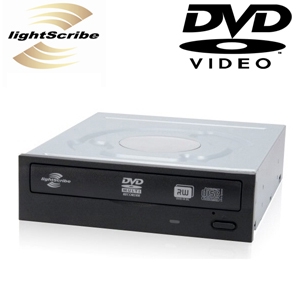
The DVD burner that I have is a Lite-on lightscribe DVD burner that I bought in January 2007. After only a couple of years it decided that it wasn’t going to open easily anymore. When you press the button it makes these clicking sounds but doesn’t open. You had to keep pressing the button until it would open.

Eventually it got so bad that you’d have to put a paperclip into the little hole that allows you to force the door to open. Now, that doesn’t even open it anymore.

I don’t care about burning music or whatever, I just want to back up my files so that I can reformat my hard drive. My computer is so slow because of all the crap that I download. I’ve deleted more than half of what I’ve downloaded only because I knew I wouldn’t be able to back it up but that doesn’t help me if I can’t burn the rest of the stuff onto discs.

My DVD burner that is in there now was $50 at TigerDirect.com back in 2007 and I checked the computer store in town and they sell the same one for $46 and I went to TigerDirect.com again and they sell the same one for $19.99 now. I thought, I’d much rather spend $25 (with shipping) and wait until the end of the week for it rather than spend double and get it today.

So hopefully by the weekend my computer won’t be so slow. I can finally burn the crap I’ve been downloading as well as all of my documents and images and start fresh with a new Windows installation.

About friggin time!

Never Help Unappreciative Friends

I have a friend who used to live next door to us.  She was, as we gay’s called them, my “fag hag“.  That is until she moved away and then I didn’t see her again for many years.

All of a sudden, out of nowhere she calls me a couple of weeks ago begging me for my help.  She broke her sisters computer and knowing that I used to build computers for a (semi) living, she begged me to come over to her sister’s house to help her.

I didn’t want to because I’m a hermit.  I don’t leave the house unless it’s to go to the store, doctors appointments or to take the dog out.  I have a huge case of Body dysmorphic disorder so I just don’t like being around people out of fear they are constantly judging me.  Not just my face, skin and hair but also because I have facial ticks.

But what could I do?  She was talking so loud and so fast on the phone, I could barely understand what she was saying so to get her to stop begging and to shut up I said ok, come get me.

Her sister pulls up to our front door in a few minutes and she brings me to her house.  She drops me off and I go upstairs, look at the computer but I can’t do anything about it, the hard drive has crashed.  I was there for a couple of hours switching hard drives since they had 3 of them but none of them worked.  They all started to load a different version of Windows but always went to blue screen which was a clear indication that the hard drive had crashed.

Her sister finally takes me home and I think that’s the end of it.

About a week ago the sister calls me to tell me she’s at the computer store I told her to go to and asks me what kind of hard drive to buy.  Naturally I told her she needs to have her crashed hard drive with her so she gets the right one.  It has to have the same configuration as her old one otherwise a new hard drive (that fits todays standards) may not work in her (I don’t know how old) motherboard.

That happened to me once, I bought a brand new 320gb hard drive in 2007 for the computer I built in 2002 and it wouldn’t work.  I ended up having to buy all new parts to build a new computer around that hard drive.

So she gets the hard drive and calls me asking if I’ll install it for her.  I begrudgingly said I’d do it.  My former BFF called to tell me that she has the mouse at work so I’ll have to bring my own.  Well, that doesn’t work because mine is wireless, it won’t work with the Windows installation.

Anyway, long story short (too late?) I’m there for 6 hours, we cleared the CMOS because it had a password that nobody knew and I had to access it to get the job done.  I install Windows and helped get her started with the windows updates.

The sister takes me home and she offers to pay me but, what do you say when someone offers to pay you money?  I’m sure most people would be like oh sure that’ll be $60 (@$10/hr) please.  I’m too embarrassed by money.  We were broke and starving and we could’ve used the money, even $10 to get us some food but I said no thanks.  She offered to buy me a pumpkin for Halloween or a Turkey for Thanksgiving.  I’m not gonna go grocery shopping with her lol.  Just take me home lol.

The next morning at 7am, the sister calls me accusing me of stealing her neighbors mouse.  Excuse me?  Are you kidding me?  She knew I had a wireless mouse and she saw me grab MY mouse.  I even watched her hand her neighbors mouse to her.  I get paid $0 for 6 hours of work and I get accused of stealing.  Uncool!

Well, it has been over a week and my so-called “fag hag” has not once called or emailed me via Facebook to thank me for getting her sisters computer working.  If anything, she owes me the money because she is the one who messed up her sisters computer in the first place.  But not even a simple “thank you” from her.

I will NEVER help another person who is not a permanent fixture in my life who I know is ungrateful and will not even thank me.  I believe in Karma and I know that my karma is in very good standing.

Update 2011-01-23:  She called me a few weeks later acting as if nothing happened and I told her I was pissed off.  I told her what her sister did and she said she knew and she thought I was pissed off at her sister but I said no, I’m pissed off at you.  She asked why and I told her because this is the first I’m hearing from her and I still haven’t heard a thank you for helping your sister out.

Then I told her that I removed her as Facebook friends but not because of this but because I am better friends with her ex who demanded that I remove her from my Facebook friends.  She understood why I removed her and we haven’t spoken since.

Google Chrome OS?!?!

This is coming straight from the Google blog…

Official Google Blog: Introducing the Google Chrome OS

Wow.  That’s so cool.  This is going to be neat to be able to turn your computer on and once it gets past all those tests that you see, you know, where it shows how much memory you have, then all of a sudden you’ve got desktop.  No more waiting for the Windows screen that shows that animated bar at the bottom of the screen.  Instead you are instantly taken right to your desktop so you can immediately start browsing the web.

The only thing that concerns me is if this will allow me to install my Windows programs like the Sims, EverQuest, Adobe Photoshop Elements, Adobe Premiere Elements, Autodesk 3DS Max 2008, my webcam software, my mp3 player software etc.  And will it allow my hardware like my webcam and my Kodak printer?

One of the things that I really look forward to is if this will allow me to play my old Win 98 games that Win XP won’t let me run.  I just hope that this isn’t something like Mac and Linux where you have to buy the Google OS software only which will probably only be a few programs at first and will always only have 10% of the software compared to the 100% that Windows offers.  That’s always been an issue and why I won’t ever have a Mac or Linux again because I want to be able to buy whatever program I want.  It’s really depressing when you go to buy software and the aisle for that OS is just a shelf while the rest of the store is for Windows.

Of course I’ll have to wait until the 2nd half of 2010 for this to become available so I look forward to all of the blogs and pictures and possibly videos showing how well it is on Netbooks.

Edit 2011-02-15: I have been using Google Chrome OS CR-48 since mid December and it does not allow me to install anything and it does in fact have apps that you can install from the Google Chrome store.  They apps install a link to your desktop which are basically just a link to a website.  There are also tons of extensions that you can use and it does work with my printer through the cloud.  No I can’t play those games I listed above but there are other games I can play that are web-based.

I would not want this to be my desktop, it works great as a netbook only in my opinion.  You would still need your regular desktop for your other programs and MMO games.

Loading………….

Since I’m not using my laptop anymore because I can’t afford to renew my warranty, I’m only going to use it for GPS when we go on trips and it’s really slow so I’m going to have to reformat it so when we do go on trips the GPS will load much quicker.  Although, I would love it if we could buy a $99 TomTom.

When I was using my laptop, I had it specifically for all the IM programs like MSN Messenger, Yahoo IM, AIM, ICQ, Skype and MySpace IM.  Plus I was using it for Microsoft Money 2004.  It came with the laptop.  But since I’m not longer using the laptop I had to install all of those programs onto my desktop and since I’m not playing EverQuest anymore then I have no reason not to have those run on the desktop.

The only drawback is that when I turn the computer on I have to wait forever for it to load.  The laptop typically took about 10-30 minutes to load.  Yeah, I know.  I’ve reformatted it but then as soon as I install all that crap back on there it takes forever again to load.

So why do I have all these IM programs installed?  Because some people absolutely will not use some IM programs.  Like for example, my cousin refuses to use anything but ICQ.  Well, he’s the only person that I know who uses ICQ.  I have friends who will not use anything but MSN Messenger.  Some friends will only use AOL or AIM.  So in order to accommodate all those people I must have 6 IM programs running at the same time.

Actually, to be honest I stopped using ICQ because my cousin never gets on it so why keep loading it?  All I get are spam IM’s so if he can’t get on another IM program then I’m not going to accommodate him.  I mean, he ain’t using ICQ so why should I have to load it right?

Laptop Upgrades

I was thinking, since I don’t have to buy a new light for my bike for $50 that I might look to see how much a new laptop hard drive would be for my old Dell Inspiron 1100 and what do you know, they cost $50 for 160gb.  I also found 1GB ram for only $30.

I’m seriously thinking about getting the hard drive but then wait until next month for the memory.  I really want to upgrade my laptop because it’s soooooo slow and it never has any space for anything.  It’s only a 20GB hard drive and with windows installed and nothing else there is only 8GB available for programs and some of the programs I have take up a lot of space.

I’d also like to install EQ on there and I can’t because there is no space for it and with only 256mb of ram it’s not fast enough for EQ.

XP Antivirus 2008 AGAIN!

Did you read my blog about the XP Antivirus 2008 Virus?  I’m bumping this back up because I just got a virus screen from Norton Antivirus saying it got rid of a virus, shoot I already closed it so I can’t say what it was named.  I looked at all the details and it has to do with the XP Antivirus 2008 again because apparently even though I got rid of all those files and registry entries it found its way back into my computer.  Thank goodness I have Norton to protect my computer because if I didn’t I’d be screwed again.  I was at the neighbor’s house all this time so I had no clue what was happening to my computer.