My Chrome Apps and Extensions

I am really enjoying Google Chrome these days. This is my Google Chrome front page. As you can see I have a few apps and unseen a few extensions.

The apps that you can see are pretty cool. The top ones are what came automatically in the browser and the rest I added. If I can’t use programs on my desktop then I gotta find a way to use them on the browser only laptop.

Typically when you are given things in a new product, the first thing you do is get rid of the junk you don’t want. Well, I did get rid of something. There was an icon for a Poppit game from Pogo but when you click it, it loads the Pogo website with the Pogo logo but the game never loads. So screw it, it’s gone lol.

Entanglement is a really cool game and I like to play it so I kept it. I’m not very good but I’m just a beginner. You gotta start somewhere right?

The Gmail and Google Talk ones I can do without but I’m not going to get rid of them if I may need them one day. Instead of using those, I downloaded the app LiveGO . It allows me access to MSN, Facebook, Twitter, Gmail, Yahoo and AOL/AIM all in one web page. For Facebook MSN, Gmail, Yahoo and AOL, it allows me to get access to my inbox and IM. It doesn’t have MySpace or Skype and I really wish they would get Skype on there so I can use the webcam. The IM’s have the webcam button but it says Coming Soon when you mouse over it. Hopefully they will get that up and running soon. For now I can use Google Talk to video chat, although I haven’t had the opportunity yet as I still don’t have any Gmail friends in all the years I’ve had Gmail.

TweetDeck is great. I’ve used that for Twitter on my Desktop so I now use it on the laptop in browser format instead of the installed version my desktop has. I actually like the browser version because the program takes forever to load and the browser loads instantly.

Autodesk Homestyler is such a cool one. You get a measuring tape and measure the rooms in your house and add rooms in the program according to the measurements. Ok I don’t needthis but it’s neat. I can add furniture to each room so I can make decorating decisions. I’m not a decorator but Darrin is so he can use that.

Google Books I added because I’m a book-worm. Although I have a Nook so I don’t need that but I was using it to look up books. I may get rid of it if I need the space though.

Todo.ly is a to do list lol. Yeah I know, lame. I may get rid of it if I don’t use it that often.

Picnik is for photo editing, although they want you to pay for premium features, I just wanted it so I could use it for the webcam. Since I can’t have Gimp on this laptop I needed something but if I really need to make a graphic I’ll just make it on my desktop.

Spider One Suit FREE … It’s Spider Solitaire lol. I can’t imagine a world where there is no solitaire on a computer.

SoopBook is for writing your own book. You can write it in there and invite people to read it and correct your mistakes. Although I don’t know if I want anyone messing with my autobiography but it’s a good way to write it since I am using this as my primary computer.  It also gives me a backup so if my computer crashes then I don’t have to worry about a backup copy.

I haven’t been writing my book at all lately anyway because I’ve been too busy. When I am ready to write again I have SoopBook and/or my desktop to write with. Although I could use SoopBook when we aren’t home and I have the laptop with me so there’s a good reason to keep it for a while.

Do I really need to explain YouTube, Hulu, Google Maps and Scratchpad? I’m sure you know what those are.

I have a few extensions which are on the very top of my browser, to the right of the address bar. I’m using GlueAOLGmail and Yahoo email notifyer so if I’m not in LiveGO then I can see if I have email or not. Then I have Aviary for taking screenshots for blogging (example above).Amplify extension which I use occasionally for blogging and finally After the Deadline which is a great spell/grammar checker, not just for blogging but anywhere you type on the internet.

I am still adding extensions and apps so this is not all I am playing with. There will be more but for now, this is what I’m up to. Playing with and learning how to live with a browser only based laptop, it’s actually not as difficult as it sounds. I’m sure anyone can cut their ties to programs if they really had to. I guess this is an if you were stuck on an island, what program would you bring with you” type of question. Well, in my case I’d have to say the Google Chrome browser would be the only program I need since I can find a way to add all of my programs as web apps.

Ok that’s it for now. I’m tired and my eyes are too blurry from staring at this 12.1 inch laptop screen for the last 16-18 hours lol.

Kongregate With Me

Are you a big Game Stop fan?  Did you know that they have a website where you can play free video games?  It’s called Kongregate and they have thousands and thousands of games that you can play.

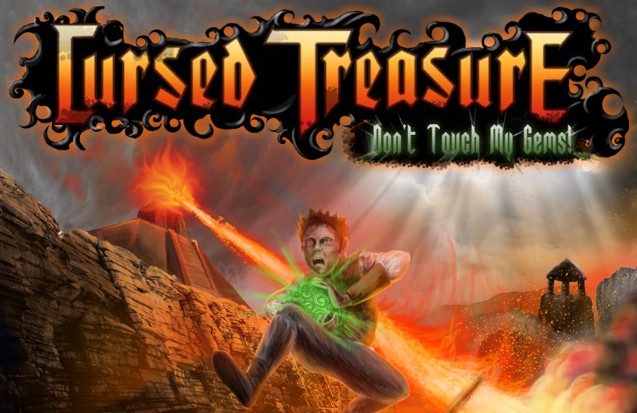
I’m hooked on this one game called Cursed Treasure: Don’t Touch My Gems.  It has a tutorial so you can figure out how to play it.

The object of this game is to keep your gems from being touched.  Unfortunately, you can’t prevent them from being picked up and taken away at first but as you gain level and points you will gain abilities which makes killing the enemy easier.

You have 3 types of terrain and 3 types of towers.  You have to place the green huts on the green grass, those shoot arrows.  Then place the ice towers on the snow, those shoot ice.  Then finally there are the lava/fire towers that you place on the rock, guess what those shoot.

There are 15 levels and you get trophies for playing it.  Your first trophy is for slaying 200 enemies, 2nd for getting to level 10, 3rd for completing 10 missions and the 4th one is for getting “brilliant” on all 15 levels.  That last one is difficult but easy as pie once you have all your abilities.

In each mission, if even 1 gem leaves the mission or if you still have at least 1 gem in the cave then you get a “good” but if all gems are gone you lose.  If even 1 gem gets touched but no gems leave the game you get an “excellent” but if not one gem has been touched at all by anyone, not even a champion, then you get a “brilliant”.

So far, I am level 15, I have completed 12 levels with “good” but got levels 1-5 to “brilliant”.  I have 3 more levels to get to “good” then I can go back to levels 5-15 over and over again until each of them have a “brilliant”.

What do I get out of it?  Heck if I know.  It’s fun to play though.  I really wish this game was on my PSP.  Hopefully when I finish playing this one I might be interested in playing another game.

Oh and this game is the main reason I haven’t been blogging or reading lately lol.

Planet Michael

I just heard about this new MMO game on Attack of the Show based on the music of Michael Jackson.

Unfortunately it probably won’t be available until the end of next year but it will be an ongoing game and social network where players can build virtual Jackson worlds.

I signed up to receive updates on all the progress of the game by typing in my birthdate and giving my name and email address.

It’s said that this will be a free game and from the video they showed on Attack of the Show it looks very cool.  It’s completely 3D and looks very similar to the other MMO games like World of Warcraft and EverQuest, except it’s Michael Jackson music video worlds and not a kingdom or village.

I’m almost positive that my computer won’t be able to handle it considering it can’t handle games like WoW, EQ, LoTRO and DDO but hopefully it won’t be as memory intensive.  I’m sure it will be though.  And just like those other games, people are going to take it too seriously and get into fights over loot lol.  Maybe.

As far as being a social network, I think I’m good with Facebook and Twitter considering I don’t need to install anything (well, except for TweetDeck).  I can’t imagine being stuck in a game just for conversation and not being able to check my email or blog because I’m too focused on “Planet Michael” but I still wouldn’t mind seeing how it looks.

Review – Sony PSP

I’m fairly certain there are folks at Nintendo feeling some serious self-loathing right about now. You see, back in the mid-90′s Nintendo contracted Sony to develop a CD-ROM drive for the Super Nintendo. As the project progressed, a number of factors (one of them being the spectacular failure of the Sega CD and its’ followup the 32X) led Nintendo to can the project. Sony was left holding the bag, with a CD-based gaming system but no one to sell it to.

Making proverbial lemonade from lemons, Sony turned around and produced what is perhaps the most successful game console in history, the Sony Playstation. The result? For the first time in history, Nintendo took second place in the video game console market, while fellow rival Sega got out of the console business altogether.

One segment of the gaming market Nintendo still has a stranglehold on, however, is the handheld sector. Beginning with the original Gameboy, the name Nintendo has been a veritable synonym for handheld gaming. This dominant streak has held sway through several subsequent iterations of the Gameboy. Some have claimed Nintendo’s dual screen DS handheld system to be a revolutionary step forward in portable gaming. Others have decried it as gimmicky. Whichever side you fall on, there’s no doubt Nintendo execs are fingering their collars as Sony prepares to rain on their parade with their new Playstation Portable – aka the PSP.

Comparing the two systems, I’d say there’s a real chance Nintendo may finally have a serious challenger to the portable gaming throne. Most assuredly, Nintendo will claim that they are pursuing a different demographic than Sony (read ‘kids’), and to their credit the pre-teen crowd will probably favor the DS over the PSP. But for anyone over the age of 12, the PSP is definitely a serious contender for your pocket change.

Okay, so enough Nintendo-bashing. Review the damn thing already.

The first impression one gets from the PSP (once you’ve ravenously clawed your way through the packaging) is just how sleek the system is. From a purely aesthetic standpoint, the PSP is one seriously sexy piece of cutting-edge tech. The system’s faceplate is fashioned of one glassy piece, interrupted only by the protrusion of the various buttons. The backside is just as nice, with the UMD disc door featuring a prominent PSP logo inside a silver metal ring set flush against the backplate. The two shoulder buttons are clear plastic, and the perimeter edge is accented in silver giving the whole thing a very streamlined look.

Of course, looks are one thing, but how does it actually play? I’m happy to report that the PSP delivers very well in this regard. For a portable system, weight is an important factor, as it is by nature handheld. The PSP is fairly lightweight, especially considering all the hi-tech goodness crammed into it’s slim chassis. In fact, it weighs just about the same as the Nintendo DS, if you need the comparison. You could easily play this thing for hours straight without feeling weighed down.

One thing that takes a little getting used to is the somewhat cramped form-factor. While the PSP’s controls may be perfect for Japanese gamers, most Westerners will find that having a go with the PSP will involve a short learning curve while hunting for a comfortable grip. Really, though, it’s no worse than any handheld system before it, and there’s no denying that Sony designed the PSP with ergonomics in mind. The back of the PSP has a very subtle curvature on each side, creating a natural shallow channel for placing one’s fingertips…it’s a small detail, but it counts.

Sony smartly modeled the PSP’s controls on the PS2′s Dualshock controllers, minus two of the front triggers and the right control stick. Replacing the left stick is an analog ‘nub’, which works much better than it sounds. Rather than tilt on an axis, the nub moves gently in a horizontal direction, giving you the same control as a stick but without the height a stick would require. It’s actually a small bit of genius, and works great in action.

As you’ve probably heard, the PSP’s main selling point is its’ 4.3-inch hi-def screen. While 4.3 inches doesn’t sound like much on paper, the PSP’s screen really must be seen to be appreciated. Both games and feature films look absolutely fantastic, and since the screen is formatted to a 16:9 ratio both applications can be appreciated in full widescreen, high-definition glory. Watching Spiderman 2 (which was included in the first million units sold in the US) is a remarkable experience; when I first booted it up, I laughed at the game store manager and proclaimed ‘It looks better than my television!’. And sure enough, it does. The screen is bright and crisp, and you may find yourself picking details out of the image that you might not have noticed the first time around.

Of course, movies are one thing, but the PSP is primarily a game platform. You wouldn’t think so, but games benefit from the PSP’s hi-def screen more so than films. Watching something like Wipeout Pure in motion is amazing; not only is the image in razor-sharp hi-definition, it’s also widescreen, allowing a larger view of the playfield than ever before. Again, you’d think a 4.3-inch screen wouldn’t capable of very much, but it just isn’t so. Without a doubt, the PSP’s screen is one of the greatest single innovations the handheld gaming world has ever seen.

Powering the PSP is a single 333mhz processor, which may not sound too impressive up front, but visually, the PSP stacks up favorably with it’s bigger sibling, the PS2. All the flourishes you’ve come to expect from the full-size gaming platforms, sharp textures, lens flares, hi-poly models, can be found on a device roughly the size of a scientific calculator. Pick up Ridge Racer, perhaps the most visually impressive title in the PSP’s launch lineup, and you won’t miss the PS2 iterations one bit. Ditto for the aforementioned Wipeout Pure, which actually manages to overtake the PS2′s Wipeout Fusion by a fair mile…and not merely by virtue of it’s portability. It’s actually a better game…if that doesn’t say anything to you about the power of the PSP, nothing will.

The PSP also lends itself to other applications, such as viewing photos, watching videos, and playing music. Though these are definitely secondary uses for the PSP, they are no less good selling points, as the PSP handles them well enough to be a serious consideration for anyone looking for a secondary media display device. In each instance, simply connecting the PSP to your PC with a 5-pin USB cord will let you drag files from your hard drive onto the PSP’s Memory Stick. Pictures and music are fairly straightforward, while video is less so, requiring you to convert it to .mp4 format and set up a separate folder on the Memory Stick.

Picture viewing is a breeze. The PSP interface is set up in a horizontal hierarchy displaying each function; you simply navigate left or right to choose the application and then vertically to choose the source. Selecting ‘Pictures’ and then ‘Memory Stick’ will let you browse whatever images you have stored on your Memory Stick. Since the PSP uses standard Memory Stick Duo format chips, if you have a digital camera that uses MS Duo sticks, you can simply slap the stick from your digican into the PSP and browse to your heart’s content. The PSP allows you to zoom in or out and pan the photos in any direction using the nub.

Music is just as easy…you just drag your ATRAC (ech!) or .mp3 (yay!) music files onto the Memory Stick, and then navigate to them the same way you did the photos. One thing the PSP is not, however, is an iPod…you have to set up folders for each group of tunes you want, though you can assign tracks to song groups and play them back at will. That said, the PSP’s music playback functionality is great. The PSP comes with a decent set of ear buds and a remote extension allowing you to control the PSP’s music functions without having to dig the unit out of your pocket. More importantly, it sounds great. If you know how to edit .wmu playlists, you can even assign thumbnail images to the tracks which will appear when you play back the tune on your PSP.

Videos are the biggest pain in the arse, mainly because you have to do the most fiddling. Luckily, homebrew PSP programmers have already jumped to action, and there are already a number of freeware apps available online which will let you drag ‘n drop video onto your PSP with little or no trouble.

The biggest drawback to all this media fun is the fact that the PSP ships with a measly 32mb Memory Stick. By the time you start messing around with music and video files, you’ll be sorely aching for a big ‘ole 1GB Memory Stick.

So okay, I’m sure you’re wondering whether or not any of the horror stories you’ve heard about the PSP are true. One of the bigger points of contention that’s hounded the PSP is the dreaded ‘dead pixels’ issue. Reports have circulated widely that a number of PSP units have been plagued by ‘dead pixels’, pixels which are either permanently light or dark, depending on how they’re stuck. My unit does indeed have a handful of these dreaded dead pixels, but seriously…I think you’d have to be a real anal-retentive type for it to be considered truly bothersome. I’m certain that a handful of PSP’s have some serious issues, and Sony has agreed to repair or replace these units at no cost. However, seeing the problem first-hand, I can honestly say that it doesn’t seem to be that big an issue. In fact, over the last week or so, some of the ‘dead pixels’ seem to have disappeared, leaving only two barely noticeable spots. The other standout problem with the PSP’s screen is that it is a veritable magnet for smudges and fingerprints. Sony thoughtfully includes a microfiber cleaning cloth with the unit, and believe me, you’ll get a lot of use out of it. If this really bothers you, be aware that for less than $5 you can buy a number of PSP ‘skins’ which protect the screen from smudges or (gasp!) scratches.

The second biggest concern about the PSP has been the battery life. So far, in my experience, the power supply is adequate for what the PSP is…a portable gaming system. With average use, you should expect to get between 4-5 hours of use between recharges. I generally use the PSP to while away lunch breaks or spare moments in the evening when I’ve got nothing better to do, and I have yet to encounter a situation when I’ve been left with a fully discharged PSP. If you really expect to put some time into the PSP, you will probably want to get into the habit of carrying around the included 5v power supply or invest in a secondary power source (Pelican currently sells a ‘power brick’ which will recharge your PSP twice on a single charge for a mere $10). Other reports, from UMD’s ejecting from the unit when its’ twisted, to poorly fabricated ‘square’ buttons, have really been overblown. I’m sure you can find faults with the system, but overall, it’s very well manufactured and should withstand years of use provided you take care of it.

A minor issue of mine lies with the UMD movie lineup. While I’m all for enjoying fan-favorite fare like Hellboy and Kill Bill, I wonder if film studios will truly embrace the format. Will we ever be able to enjoy Citizen Kane or the works of Jean Cocteau on the PSP? I think not. Considering the highly proprietary nature of the UMD format, I can’t imagine the studios taking a risk on less bankable material for consideration for UMD release. I suppose those of us who enjoy the occasional foreign or classic film will have to resort to storing flicks on the Memory Stick. Oh well…least common denominator, I suppose…

Film snobbery aside, the PSP is truly a remarkable piece of engineering. When the PSP’s specs were first unveiled a mere two years ago, it was widely believed that Sony’s handheld system was vaporware in the making, and that the final product couldn’t possibly deliver. Amazingly, they have. Nearly every point on Sony’s ambitious list is intact. With numerous hardware and software improvements on the way (digital camera attachments, installed web browser and chat clients, PSP MMORPG’s), Sony has crafted the first true challenger to the handheld gaming throne…and suddenly it feels like 1995 all over again.

Alex Mayo is a graphic designer of Irish/Filipino descent who grew up in Cincinnati, Ohio. He was raised on comic books, punk rock, and grade-B kung fu movies, which explains his complete and utter inability to deal with real life in a rational manner. He is reasonably well-educated (if Art school counts), reasonably well-read (if graphic novels and the ‘Letters to Hustler…’ columns count), and reasonably well-fed (if Sliders from White Castle count).

Alex currently supports himself as a freelance graphic designer and as the helmsman in charge of http://destroy-all-monsters.com a popular Asian-American Pop Culture webzine.

Author: Alex Mayo
Article Source: EzineArticles.com
Provided by: Guest blogger

PSP-4000 Rumors

I’ve been reading rumors of a new version of the PSP coming summer 2009.  It allegedly has a sliding screen and when you slide the screen it reveals the buttons for playing the games.  It has no UMD drive so all of your UMD games are now useless.  It basically will be download your games to memory sticks only.

I really don’t see how that’s going to make it better.  I mean, I’ve spent a lot of money on games, why should I lose all of them and possibly even be forced to buy them all over again to put on the memory stick to play on this thing?

And why sliding screen?  The only good I can see for that is watching movies or tv shows which I never even do.  I don’t have any movie UMD’s and I don’t buy movies/tv shows from the PlayStation store.  I just don’t see how a sliding screen is going to be any better than it is now.

No thanks.  I’m going to just stick with my PSP-2000.  I didn’t upgrade from the 2000 to the 3000 when that came out because the only changes that it had were the matte screen to make it easier to see in the sunlight and there are less finger prints and the mic hole which I don’t need since I already paid the $30 for the Skype headset.

If the 4000 version has no UMD slot then it’s useless to me.  No point in upgrading for me.

The thing I would like to see in future handheld gaming devices is perhaps a pair of sunglasses like my bicycle sunglasses that wrap around so you don’t see any sunlight at all but it has earplugs attached to the arms and it has a screen on the lenses then it has a wireless game pad that has all the PlayStation controls so I can play games and nobody will know what I’m playing or I can watch movies and nobody can see what it is.

ChessMaster Game for PSP

I bought this game yesterday but only did the tutorial which was more of a lesson, telling you how each piece moves.  It was a lot to take in all at once.  Today I tried a practice game but I was stumped.  I didn’t really know what to do.  If you press the button with the square on it then it gives you a hint to show you where to go.  I kept losing so I started using the hints and I would’ve never even thought to do the moves that it was suggesting and after about 15 minutes I still lost lol.

Chess really is a game that you need a giant brain to play.  I don’t know how the people on Big Brother are able to wrap their brain around it because some of them aren’t very bright lol.  Apparently they are smarter than I am lol.  Unless they are just winging it to pass the time.  That’s my guess.

The whole reason I’ve been wanting to buy this game was so I could learn so I would have a reason to build that gothic chess set but I do realize that it would cost me at least $300 to build it.  It’s not really that worth it lol.  Oh well.

Edit: I calculated the cost of all the molds for making this gothic chess set.  It’s $199 just for the molds.  Then the chess pieces total to $57.42 and the pawns are $54.96.  Total for all of that is $311.38.  That doesn’t even include shipping and the expensive cement that you mix to pour into the molds, the glue and the paint.  I bet you are looking at probably over $400 to make the gothic chess set.  LOL Way too much money.  You have to be really dedicated to chess to want to make this.

2 New PSP Games

Ok well earlier I said we were going to service the cooler then go to the mall to see Star Trek, then back to the mall to get games from Game Stop then probably eat.  Well, 2 out of 4 ain’t bad right?

We serviced the cooler and the tenants didn’t even bother to turn it on and left their a/c units running lol.

We went to the mall and it was packed tighter than my package in bicycle shorts.  We finally found a spot then went in and I come out with 2 used games.  Actually 1 was new but it was on special clearance for $9.99.  “Chess master The Art of Learning”  The other one is called “Dungeon Maker 2: The Hidden War”.

I’ve wanted the chess master game forever to learn how to play that stupid game since everyone who is 5 years old that can play better than me.  Anyway, so now this gives me the opportunity to learn and maybe teach chip then we can get a chess set to play with.

I actually want to make one.  I’ve wanted to make this since I first saw it.  Here is the link for it: The Gothic Chess Set. I think that would be so much fun to make and the chess pieces are going to be so awesome.  EXPENSIVE but awesome lol.

Snood

I know everyone has heard about Snood by now but if you haven’t and you’ve been living under a rock, Snoodis this awesome and addictive game where you shoot these little snoods with one of its own kind and if you hit 2 with 1 of the same then they fall off and you clear a path so you can shoot down some more.  It’s really fun.

That was the original Snood and they’ve added new games.  Like Snood PoppersSnood SlideSnoodoku,Snood Solitaire and Snood Towers.  They also made ChowderCactus Bruce and the Corporate Monkeys,Meeklits and Ballmaster2.

I have played Snood Poppers demo and it was pretty neat.  It’s similar to Snood where you shoot snoods to make them disappear but this time they are going through this pipe that is twisty and you have to eliminate the snoods before they get to the other side.

I haven’t played any of the others though, I don’t really care for Solitaire too much, I mean, I already have Windows Solitaire.  Why should I buy another one when I got one for free?  Plus, I really never play that, when I do play Solitaire I always play Spider Solitaire.

I do have a Snood T-shirt and a Snood key chain which I love.  I’m always playing with the key chain, it’s so shiny and it’s dangly.  I’m a simple man, you give me something shiny to play with and you got my attention for a while lol.  And whenever I wear the shirt people who know what Snood is always say hi and some people who don’t are like cool shirt, what’s it mean?  Then I tell them.  I’m like a walking billboard when I wear advertisements.  But what I can I say?  I love Snood.

Bokni Magus

Yay!  I finally defeated this bastard.  And it didn’t even take me 2 weeks like someone posted on a message board that it took them.

As I said in my previous post about Untold Legends (Warriors Code) I was just experimenting to see what would happen if I exited the game, then came back but when I loaded my character instead of clicking continue that I’d click restart chapter.  I thought it would take me back to the beginning of that zone that I was in but instead it took me all the way back to the very beginning of the game.  But my advantage was that I was still level 16 and I still had all my weapons and armor and trinkets.

That sorta helped me and in fact as I went along going back to the Bokni Magus I was being upgraded for my level with equipment.  But when I did get back to the Bokni Magus last night he was just as hard to kill as before.  But, this morning I went back to the monastery and bought some upgrades from the merchant along with some new augments and I was able to beat this Bokni Magus once and for all.  Because the new augments were Petrify for 4 seconds and Charm for 4 seconds.  Along with 3 Health Drain.  So those helped me a bit.  Those effects are on my weapon.

So now I’m finally on chapter 2.

Untold Legends Update

I know that people really care about my progress in this game.  Hehe.

I was stuck in the game in this one spot, this guy kept teleporting away from me and when I did get a chance to hit him he would heal really fast right after he teleported away from me.  It was so frustrating.  I could keep myself alive with either running or potions but how long can I keep that up for?

So I decided to save my game then exit the game and reload it but this time instead of continue the story, I’d restart the story.  I thought it would bring me back to the beginning of that zone but instead it brought me all the way back to when I first started playing the game.  What a bummer.  But, not really because I was still level 16 and I still had all my weapons and armor.

So, instead of going back to my original saved game I just went with it and started saving my game over my old game.  This way, I’m gaining level by doing all the things I’ve already done and I’m getting better gear too instead of getting all the gear I was getting the first time around.  I don’t know how I’m getting gear for my level but I am.  I was 16 when I restarted and now I’m level 21.

I do have a feeling though that when I get back to this bad ass guy I’ll probably still have trouble because he will be a higher level.  Maybe not, I don’t know.  Maybe he will still be the level he was before and I can kill him and get on with the game.  I sure do hope so.

I want to be able to get to level 50 so I can play with other people in multiplayer mode online.  Some people don’t want to play with you if you aren’t level 50.  Stuck up jerks lol.