I Finished Writing My Book

I am happy to report that I finally finished writing my book.  I have edited the hell out of it about 20 or 30 times but it’s finally done.

I sent the file to 2 friends to proof read and send me bug reports if you will lol.  Basically, they are beta testing my book for the lack of a better term lol.

The book in doc format is only 181 pages but in epub format it is 289 pages.  I don’t know why there is a huge difference but there you have it.

I have learned a boatload of stuff about myself while writing this autobiography.  For example, I remembered things that I had blocked because they were too painful.  I don’t know how I remembered them but I’m glad I did.

The timeline of some memories were wrong in my head and it took writing it for me to remember when everything happened.

Well, I am just exhausted from writing.  My eyes are killing me from staring into a white screen for 6 to 8 hours a day.  I can’t even imagine this being my regular job.  I mean blogging is my job but I’m not doing it for 6 to 8 hours non stop day after day.  Some weeks I’m lucky if I have 2 posts written.

To celebrate my victory today I decided to play Lord of the Rings Online.  I finally did an epic quest so I can check that off of the list of things I have to do in the game.

The book won’t be published until my beta testers have read through the whole thing and given me their input.  When they do then I will have to read it one or two more times before I send it out just to make sure it’s right.  Who knows, I may even have more editing lol.

I’m pretty sure that it is finished so I do plan on getting it copyrighted this or next week so that I can sell it through Amazon and Barnes & Noble as ebooks.  If they sell enough copies then I will have it printed for those who don’t have a Kindle or a Nook.

Wish me luck!

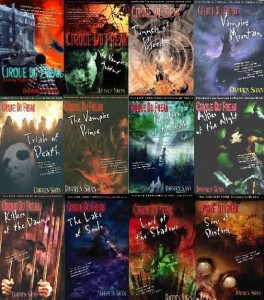
Cirque Du Freak eBooks

I started reading the Darren Shan “Cirque Du Freak” books late last year on Halloween.  I figured it was time to start a new series of books and since it was Halloween, I wanted it to be some type of horror book and I remembered the Vampire’s Assistant started out as a book so I figured it would be a good read.

The ebooks were only a couple bucks and I figured it would be a very good purchase.  I didn’t read them all right away, I read the first 3 then stopped to pursue other books.  But last month I decided that I wanted to finish them once and for all.

These books are small so it doesn’t take more than a day to read them, less for everyone else who doesn’t have dyslexia.  So it usually takes me 2 days at a couple of hours each day to read them.

The first book was very similar to the movie but with a lot more detail.  At first I thought the movie was all 12 books rolled into a movie but after the first book I realized it wasn’t the case because decades have passed in the book where only maybe months have passed in the movie.  But the movie also didn’t get to the war of the scars either and with Darren and Mr. Crepsley leaving the Cirque at the end of the movie, or rather the next day when Darren has had his rest, it leaves it open for more story which I doubt they will ever tell in movie format.

The books were very good to read and since I had most of the characters in my head from watching the movie I was able to visualize most of them for when I read the books.

I hate giving away plots or story lines because I don’t want to spoil anything for anyone but if you do get a chance to read these please do.

I said the books were a couple bucks, well, unfortunately they raised the price.  eBooks are now $7.99 each but you can buy the actual books in a set for only $35 on Amazon.  That’s only a couple bucks per book and it is so worth it.  I don’t know if $8 is worth it since they are so small though.  I’m just glad I bought the whole series when I did lol.

If you weren’t aware of the story, here is a synopsis from the Cirque du Freak Wiki:

The Vampire’s Assistant is a fantasy-adventure based on the first three books of the series, The Saga of Darren Shan, by author Darren Shan about a teenager who unknowingly breaks a 200-year-old truce between two warring factions of vampires. Pulled into a fantastic life of misunderstood sideshow freaks and grotesque creatures of the night, one teen will vanish from the safety of a boring existence and fulfill his destiny in a place drawn from nightmares.

16-year-old Darren was like most kids in his suburban neighborhood. He hung out with his best friend Steve, got decent grades, and usually stayed out of trouble. But when he and Steve stumble upon a traveling freak show, things begin to change inside Darren. That’s the exact moment when a vampire named Larten Crepsley turns him into something bloodthirsty.

Newly undead, he joins the Cirque du Freak, a touring sideshow filled with monstrous creatures from a snakeboy and a Wolf Man to a bearded lady and a gigantic ringmaster. As Darren flexes his newfound powers in this dark world, he becomes a treasured pawn between the vampires and their deadlier counterparts. And while trying to survive, one boy will struggle to keep their brewing war from devouring what’s left of his humanity.

There is a lot more about the story than in this synopsis but you can find out about it by reading the books.  This synopsis says the movie is based on the first 3 books but that isn’t exactly the truth because so much happens in the 2nd and 3rd book that you never even see in the movie.  If I were you I would just get the books and find out for yourself.  I double dare you.

I Bought My Video Card


Today is an awesome day because I was finally able to buy my new video card.  I was going to buy it from Tiger Direct but bought it from Amazon instead because of the free shipping.  I was going to buy a cheaper card from Tiger but I went with this one because I’d rather pay a few dollars more and get a better quality video card that might last.

This video card is Sapphire Radeon HD4650 1 GB DDR2 VGA/DVI/HDMI PCI-Express Video Card 100254HDMI and it was $46.99 (from $82, saving me $35.01) with free shipping.  What I didn’t realize when I bought it was that it has a $15 rebate which I am trying to get now online.  I filled out the forms but it brings me to the final page which I have to print but if I can’t turn on my desktop then I can’t print anything so it will have to wait until I get the video card.  They need me to send them a copy of my receipt anyway to prove that I actually bought the video card.  But once I get the rebate (in 2 months time) the video card will have only cost me $31.99 so that’s actually not too bad.  I mean, I have to wait a long time and when I do get it I’ll get a debit card instead of a check but that’s ok I guess.

I chose free shipping which means it will take longer for my order to get to me, the email said that it would take 6-8 days, my estimate delivery dates are August 9th – 13th 2011 so it will be awhile.  The rebate offer is for if I bought the card between 7/18 – 8/15 so I should get it in time to be able to print it out and send it in.

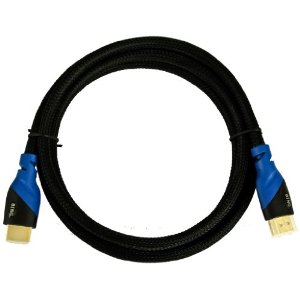
I also bought a 6 foot HDMI cable so that I can hook up my computer to my HDTV.  That way I can watch my web shows on TV full screen the way they were meant to be seen.  Heck, I can even play my game using the TV.  Not that I would but I have the option now.  The HDMI cable was only $5.50.  The reason I wanted to buy it with my order is because if I had bought this from Sears or any other place, I would’ve paid $20-$40 easily.  This  cable even had free shipping with orders $25 and over and since my order was over $25, everything was free to ship.

So, I am very happy about my purchase.  I wanted to stay loyal to Tiger but I also need to get what I need at the price I can afford and not spend that money on shipping fees.  See, I could have paid $29.99 for a video card then $8 to ship it to me.  What would be the point in spending that much money to ship it when I could spend that $8 on a better video card?

I could have gone to the computer store here in town on my bicycle but they are really expensive there.  We bought Darrin a new video card a few months ago and his only has 256mb of DDR memory (not DDR2) and his is an AGP video card.  His was $49.  That was a few months ago.  If a 256 DDR AGP video card is $50 then how much would a 1GB DDR2 PCIe card cost?  Probably $80 or more.  So that’s why I wanted to buy it online.  I’d rather wait a week for it to arrive than have to overspend getting the same or less quality.

The video card that is still in my desktop cost me over $100 from that same computer store.  In fact, I believe it was $125.  That was a Gigabyte Technologies GeForce 7600GS 512MB DDR2 PCIe Dual Link DVI HDTV.  I looked that up online and if I were to buy a new one it would cost $113 but the website I found it on has discontinued it so I can’t even buy a replacement (from that particular site).  I wouldn’t want to though because that dual link DVI thing bugged me every time I booted.  It would tell me it didn’t detect another video card or the dual link or whatever.  Every time I booted…  I didn’t have a 2nd card so naturally it didn’t detect anything.  Why would I have 2 video cards in when I only need 1?

So, it will take about a week to get it.  I’ve gone about 3 weeks without my desktop so I’m pretty sure I can wait another week.  As long as I have my netbook I’m pretty set.  And actually, not having my desktop to keep me busy playing Lord of the Rings Online has gotten me to start reading again so at least something good came out of this video card crashing like it did.

Ice Cream Scoops

I love ice cream, I love it so much that when I eat it, I don’t just have 1 serving, I usually fill a bowl with it.  I guess you could say that ice cream is my downfall.  Despite my diabetes, I can’t just say I’ll quit eating it because when I quit something then I’ll end up sneaking around and cheating.  So it’s better to continue eating but moderate how much I eat.

It’s like when I quit smoking with the patch, I didn’t toss out all of my cigarette paraphernalia because I knew if I wanted to cheat I’d end up buying another pack so I might as well keep my current pack so if I do cheat then it won’t end up costing me more money.  I did cheat, twice but I still ended up quitting and haven’t looked back, that was in 1996.

I decided to try a little experiment.  I bought some ice cream cones at the grocery store because I figured if I ate an ice cream cone then I would be ok right?  The only thing was, our ice cream scoop sucks ass.  It’s this plastic see through piece of junk that you are supposed to fill with hot water to keep it warm so you can use it but I can’t take the cover off to fill it.  So the only way to use it is to soak it in hot water but as soon as it touches the ice cream, it gets cold and is hard to scoop again.

I wanted this to work but that ice cream scoop just wasn’t working.

I’ve been looking around the internet for an ice cream scoop like the one they have at Thrifty’s drug store which we all now know as Rite Aid.  They still sell Thrifty ice cream and still use the iconical gun that has the flat top making it easy to add more layers.  What I found was the Cuisipro Scoop and Stack Ice Cream Scoop on Amazon.com for $14.99.  It has the free shipping option if you buy something else valued at $10.01 with free shipping available but that means I have to spend $25 and all I want is an ice cream scoop.

Last night I was looking at my options that would cost $10.01 because I wasn’t about to spend $8 for shipping and not get anything except for the ice cream scoop.  I’d rather spend $10 and get something I can use.  But the problem was, everything that I wanted cost either $15 or $20 which made my shopping cart higher than I knew I could afford.  All this for 1 ice cream scoop.

Screw it!  I went to Albertson’s this morning and they had this heavy-duty ice cream scoop made by Good Cook on the 50% off rack and all I paid was like $1.70.

The thing is, I have a problem with scooping ice cream because of my carpal tunnel syndrome.  My hands pinch in the palms and wrists from the stress of scooping ice cream so I have to wait for it to melt and use a spoon.  Well, the Cuisipro was supposed to be easy because I just push it down into the ice cream, pull it back up and viola, ice cream for a cone.

The one I bought from Albertson’s is actually a lot easier to use.  You know that as soon as I came home from the store that I used it to make myself an ice cream cone lol.  It was so easy to use that it made a perfect ice cream ball and my hands didn’t even feel anything.  And what was awesome was that the ice cream didn’t even stick to it like it does with my cheap plastic ice cream scoop.  I was always having to use a spoon that I had to soak in hot water to remove the scoop from the scooper lol.

All this trouble for an ice cream scoop and I end up buying one for way less than I thought I would.  I win!  I’ve already lost 11lbs in the last month because I have cut way back on my ice cream intake by having ice cream cones instead of a huge bowl of ice cream so you tell me if the experiment was worth it or not.  Actually, I also quit drinking soda, coffee and iced tea but towards the end of the month I started drinking coffee and tea again but still lose 11lbs.  I was surprised when I weighed myself this morning that I was no longer 260lbs but 249.

I can’t say that the Cuisipro ice cream scooper would have worked out for me as much as this Good Cook one does but it’s cheaper and I’m glad I didn’t rush myself to buy it from Amazon.  I read a few customer reviews of the Cuisipro one and people were leaving negative reviews so maybe I am better off with the one I ended up with.  Either way I’m happy now with what I have and I hope the weight loss continues.

I Won’t Miss My Shows!

Since we’re getting our Roku box tomorrow and we’re canceling our $110 a month cable on Thursday, I’ve been kind of worried because not all of my shows are on Hulu and Netflix.

True Blood is one major reason why we have HBO. If I cancel our cable and I lose HBO then what am I going to do? I’m going to miss True Blood when it comes on. I really am not too keen on downloading it with P2P but what else could I do? Well, I just found out that Amazon Video On Demand will have it for only $2.09 an episode. WHEW! What a weight.

That’s not all though because even though Hulu has a BBC America page, they don’t have my BBC America shows on there like Doctor Who and Primeval. Last night was the season premiere of Primeval and this morning BBC America tweeted that the episode is available on iTunes and Amazon Video On Demand. Ok so I’m gonna have to pay $1.99 to buy (not rent) the episodes, fine, I don’t care as long as I get to see them. When Doctor Who comes back I will be way more than happy to buy each episode for $2.

There are certain shows that I will be missing that I have mentioned like Smallville, Supernatural and Vampire Diaries because CBS (who owns CW) refuses to get on the Hulu bandwagon. Well, luckily they have those shows on the CW website so I’m good there. They also have them for sale on iTunes and Amazon VOD but I refuse to pay for something that I can see for free on the CW website. If it’s a network show then why should I have to pay to watch it? If it’s a premium channel like HBO then I certainly don’t mind paying for it. Even BBC America, I’m good paying for it.

So now that I have this knowledge that I won’t miss them I am very pleased with our decision to cancel our cable.

Barnes & Noble Nook Vs Amazon Kindle – Which is the Best eReader?

Amazon’s Kindle eReader has been the leader, at least in the US, of the eReader market since the introduction of Kindle 1 in 2007. Sony has held 2nd place with 30 – 35% of the market.

But now there is a new kid on the block. In October ’09 Barnes & Noble announced its nook eReader that sold out on pre-order within a few weeks.

The nook is revolutionary primarily in its looks. It will be hard for your average gadget boy/girl to see one and not develop a serious craving. But does this mean that the nook is the best thing since the printing press for bookish boys and girls?

Let’s look at and compare some of the features of the nook and the Kindle eReaders.

For the most part reading on the nook’s e-ink screen is very similar to reading on the Kindle eReader’s e-ink screen. Both eRreaders use the same or a very similar reading screen.

What is dramatically different, and what in fact attracts many people to the nook eReader is the small LCD touchscreen under the e-ink screen. On the Kindle, navigation is accomplished by using the chicklet keyboard and the 5-way controller. The controls for the nook are mostly accessed through using the LCD touchscreen.

The nook’s touchscreen is also used for browsing books in your library or for selecting books to purchase from Barnes & Noble over the wireless connection. A virtual keyboard is available on the LCD screen for typing.

The nook’s color LCD screen looks really nice and would seem to be a very desirable feature, but there are problems with the software implementation, which we will get to in a bit.

Connectivity:

The Kindle eReader has a 3G wireless connection through AT&T for the Kindle Global, and Sprint for the Kindle 2. Amazon calls its wireless service “Whispernet”. Using Whispernet, you can usually purchase and download a book within a minute or less. You also can use the somewhat clunky but functional browser to access the internet, check email, research your reading on Wikipedia, even access another online ebook store than Amazon to purchase and download books, etc. With Kindle Global you also have access to the Kindle store in many other countries besides the US, though you have to pay a surcharge for downloading a book on the Whispernet outside of the US.

The nook eReader has both a WiFi connection and a 3G AT&T wireless connection. The difference is that the nook’s connection can only be used for purchasing and downloading books from Barnes & Noble. No internet, no Wikipedia, you cannot use it to connect to another online ebook store and purchase books.

The nook’s WiFi connection will be useful if you carry your nook eReader into a B&N store as it will download coupons and special offers to your eReader. You can also use the WiFi to browse ebooks while in a B&N store, but you can only read each book for a maximum of one hour in a 24-hour period. These in-store features are not yet fully implemented so we don’t yet know how useful they will prove to be.

Sharing

One of the nook eReader’s features that received a lot of press coverage is the ability to lend your ebooks to friends. Unfortunately, this feature is not as great as first thought. For one thing, publishers must opt in to let their books be loaned. Some have said they will not allow this. Also there are restrictions: you can only loan a particular book once ever, and only for 14 days. While a book is loaned out you cannot access it on your own nook.

The Kindle does not at this time allow this type of lending. However, you can share ebooks with up to 6 (it can vary by title) Kindles that are registered to the same account. This works well for multi-Kindle families. It is even possible to set up a reading club with your Kindle owning friends if you feel comfortable sharing a single credit card to register your Kindle eReaders to.

Other Features

One nice feature that the nook eReader has is a user replaceable battery. The Kindle’s battery is hardwired in and therefore will need to be sent back to Amazon for replacement ($60). Amazon says that even after 500 charges (ten years or so) these batteries will still hold 80% charge, so this may not be an issue for most people.

The nook also accepts an SD card for additional storage. The Kindle only has its internal storage, but that is enough to hold around 1,500 books, so this may also not be an issue for you.

A nook feature that has not received any official Barnes & Noble acknowledgment is the ability to borrow ebooks from your local library if they use Overdrive’s digital distribution service. To do this you need to install Adobe Digital Editions on your computer and use that to sideload the ebook onto your nook. You can borrow an ebook from the library for 14 days, after which it will be automatically deleted. You cannot renew library ebook checkouts. To find out how useful this feature will be in your case you should check your local library website. Most libraries do not have a large catalogue of ebooks yet. Kindle does not support borrowing library ebooks at this time

The eBook Stores

No matter how attractive the hardware, an eReader’s primary purpose is to read books. Since today’s eReaders tend to be tied to proprietary DRM formats for current titles, you want to make sure that the hardware that you choose is backed up by the best ebook store(s).

The nook’s primary ebook supplier for DRM’ed ebooks will of course be Barnes & Noble. You can also purchase DRM’ed ebooks from other online sellers that support Adobe Digital Editions. The nook is also compatible with non DRM’ed EPUB and PDF format.

With Kindle you will purchase most if not all of your DRM’ed titles from Amazon’s Kindle store. Kindle also uses a few other formats for non-DRM’ed ebooks such as MOBI and PDF. Public domain ebooks are also available for the Kindle eReaders. I suspect that at some point Amazon will also have to allow EPUB compatibility for the Kindle, as there is increasing pressure for this.

Many people disparage the Kindle’s being locked into Amazon’s ebook store for DRM’ed ebooks. While this may be true to a large extent, the fact is that the Kindle store has more titles available than B&N and all of the online stores selling ADE format ebooks put together. In most cases Amazon’s prices are less as well, although Barnes & Noble has been trying to match their prices.

If you primarily read books on the current best sellers lists you will likely be able to find these available in most formats at similar prices. The more off the beaten path your reading is however, the more likely you are to find what you are looking for at the Kindle store.

So Which eReader is Best – Kindle or nook?

If the nook eReader had not been rushed to market to make the holiday 2009 season, and if Barnes & Noble had waited until they had the software ready and the bugs worked out, then I would say that the nook would have been a very close second choice and maybe even equal to the Kindle.

In fact, the nook at present is crippled by its faulty release version software and unless B&N gets it fixed in a timely fashion the nook will be leapfrogged by the next Kindle release. Barnes & Noble has said that they are working around the clock to update the software and fix the current nook problems; and to their credit they have released a couple of updates as of this writing. However there are still lots of bugs and the nook is slower than the Kindle, which will be distracting when you are trying to immerse yourself in that next great book. In its present state the LCD screen does not play well with the e-ink screen and can be very frustrating to use.

Also, I prefer the Kindle store. My reading tastes may be different than yours however, so I would suggest you make a list of books you want to read and make a price and availability comparison between the Kindle store and B&N’s offerings. Higher ebook prices can add up pretty quickly.

The Kindle’s ability to connect to the internet and Wikipedia, etc. is also not to be underestimated.

I think that the nook eReader has the potential to be a great eReader and possibly equal the Kindle, but it is something of a gamble buying one now and waiting to see if Barnes & Noble can get all of the glitches fixed in time and also match the Kindle store’s offerings.

For more ebook reader news and reviews, please visit me at  http://www.findebookreaders.com

Author: Richard Greenlee
Article Source: EzineArticles.com
Provided by: WordPress plugin Guest Blogger

Shopping for an eBook Reader

Someone I follow on tweeted this link today. Engadget’s back to school guide: E-readers. Naturally I had to look because I too want to buy an e-book reader. I have wanted one ever since they first came out but never could afford one because they were in the $400 – $600 range (around 2006).

In November 2009 I started blogging for pay (via PayPerPost and Blogsvertise) with the intention of saving money for buying an e-book reader, Kindle or Nook. Preferably a Nook because of the color screen at the bottom but it didn’t really make any difference. They were both around $265 or so back then.

I had a lot of trouble saving the money for one because my monthly income is so low that when I run out of grocery money I ended up taking the blogging money from PayPal to buy food. Since I have a PayPal debit card it makes it so much easier to spend the money.

9 months has gone by since I made the commitment to save the money and I still don’t have an e-book reader. However, the thing that I wanted the most out of an e-book reader was a lower price to justify my purchase.

eBook readers such as the Amazon Kindle, Barnes and Noble Nook and Sony Reader have all gone dramatically down in price, down to a price that I can finally afford.

Unfortunately, they still don’t fit my needs. What I want is an e-book reader that will accept a lot of formats like .lit, .prc, .pdf, .mobi and .epub. What I want is for an e-book reader that would allow me to read those formats and still be able to use their dictionary. I don’t know if they all let you to use the dictionary with just a .pdf file which is what makes my decision so difficult.

Kindle Wireless Reading Device, Wi-Fi, 6″ Display, Graphite – Latest Generation:

Pros: The new Amazon Kindle is stylish. I love the graphite color. I like the keypad on the bottom, it’s small enough that I’m ok with it considering I would probably be typing on it occasionally when searching for keywords, making notes and searching for books in the Kindle store. They have games on it, which I don’t really care about, I just want it to read but it is good to know. The price dropped down to $139 and has free 2-day free shipping which is awesome. The battery works for a full month without charging with the wi-fi turned off which is great.

Cons: It does allow me to view my .pdf books but that’s it and I can’t use the dictionary for definitions which is a big negative for me. I mean sure I can’t do that with a paper book but this is electronic and I want that ability. Also, it does not have an SD card for adding more books.

NOOK Wi-Fi, eReader, eBook Reader – Barnes & Noble:

Pros: The B&N Nook is also very stylish with its cool color touchscreen at the bottom which also has a keyboard. The screen goes black while you are reading to keep you from being distracted. It does allow me to add a .pdf, .epub and .pdb file and has a MicroSD slot. The cool thing about the Nook is that you can lend books to your friends and if I had any that had a Nook then we could lend each other books. If you are in the B&N store you can browse through a book for free for 1 hour per day. The price dropped down to $149 and although it’s $10 more than Amazon it is still a good price.

Cons: The Nooks battery is only 10 days unlike the Kindle which is 30 days. The color touchscreen on the bottom is too slow for impatient people like me. Although as I said it allows .pdf, .epub and .pdb files it doesn’t allow the others. All my ebooks are in all the other formats I mentioned above.

Sony Digital Reader Pocket Edition – Dark Blue:

The price of this is different at the Sony site as opposed to the Amazon site. Amazon charges $136.99 with free shipping but according to the Sony site it’s $149.99. I would buy it from Amazon.

Pros: Although it is a little bit stylish in the dark blue color, it isn’t as stylish as the Kindle or Nook. The Sony Pocket Edition does allow multiple formats such as .pdf, .epub, MS Word, BBeB Book (?) and other text file formats. It doesn’t say the others. The ebook store Sony uses is the Reader store which I assume is from Sony, check out books from public libraries and access over one million free public domain titles from Google Books, sharing sites and other online stores and publishers websites.

I don’t know if that means I can access the Rainbow eBooks website or not, I hope it does because that is what I want.

Cons: One of the things I don’t like about this is that it doesn’t have a keyboard for typing and I don’t know how you type anything when looking up a book to buy.

I don’t know if this should go in pro or con, it’s charge only lasts 2 weeks but I mean seriously, I can charge it every 2 weeks.

This is a tough and huge decision, one that I can think about until the first week of September when I will finally have the money saved up to buy one. I’m leaning more toward the Sony reader though but I would like it if people would leave a comment telling me what they think of each of these readers to give me more to think about. Keeping in mind that I buy a lot of books from Rainbow eBooks and ebooks.com.

$99 Color E-Reader and Social Platform to Challenge Amazon, B&N This Fall

via $99 Color E-Reader and Social Platform to Challenge Amazon, B&N This Fall.

I like this idea that the Copia is a $99 color e-book reader. However, I don’t like the fact that it’s an LCD screen and has a battery time of 4 hours. Those are the only 2 things I don’t like about it. When I’m reading an e-book, I don’t want to screw my eyes up more than they already get with an actual book. Reading from a LCD screen isn’t going to help my eyes at all.

The Copia does have a lot of cool functions though but personally I think it’s all too distracting from what you’re true intentions are when turning it on, reading. If I want to read reviews or recommendations on a book I can do that on the computer. When I want to read a book I want to read it without the temptation of all the other functions. By the time I’m ready to start reading the battery is already dead because I’ve been looking at reviews for the last 4 hours. Then I’m back at square one, no book to read despite my prior intentions.

Although the $99 price is very tempting, I think that I would rather spend the extra $30 or $50 for a Kindle or aNook.

No Zombie Book For Me

On June 30th I got an email from GetGlue saying I won a book for being the guru of the book Zombies for Zombies .  Well the book that I won “ The Living Dead” by George Romero is apparently not really happening.

I haven’t really been that focused on getting it on a certain day or week because I know when you win things it could take a month or longer.  But since it has been over 3 weeks I thought maybe it might come soon.  I waited for the mail like a little pup but once again, no book.

I decided to go onto Amazon and get more information about the book, maybe read some reviews.  What I see is confusing because it says that this book is available for pre-order and that it has not been released yet. Hmmm , ok well I go down and see in the product details that it was released on July 1st 2010.  Well that’s odd.  So I scroll all the way down for the discussion section for this book and find out that in the post at the very top that this book is not even real.  It was actually someone who responded to the post titled “ Exciting! “.

Someone on July 13th said there was an interview on YouTube of him saying it’s not real and another person on the 24th said they would like the link to that.  I searched and found it.  I had to watch the first part of the interview then watch the second part of the interview to see and it was the very last question all the way at the end of the interview.

The question was asked at 6:09 and he responded at 6:25 that you can’t listen to what you read on IMDB, he responds about amazon at 6:51 saying you can’t believe any of the “shit” you read on amazon.

Seriously?  I really don’t believe this.  The Q&A session he did in this video was posted on YouTube on May 12 2010 by a woman who clearly sounded annoyed by the video game and novel questions and she clearly had her nose so far up George Romero’s ass, it was any wonder you could hear her chuckling at the questions being asked.

Anyway, I am a bit disappointed that the one thing I did win from GetGlue might never arrive, it was fun to think that it would though.  I guess I can stop waiting for it to come in the mail now.

Amazon Wireless

amazonwirelessAmazon has added a new service to their website called Amazon Wireless.  This is kind of neat because you can choose your wireless company, which by the way they only have 2 so far which are AT&T and Verizon Wireless, then choose a phone then choose whether you want a new individual account or if you are already part of an existing individual account or family account.

Most of the phones are only a penny and so you basically get a free phone but when you click that you already have an existing account the price may go up to about $50-$75 or more depending on the phone.  I found that certain phones you still get for just a penny with an already existing plan.

I think that’s great that they will give you a free phone if you are upgrading your cell phone but not your plan because it just makes it easier to get a new phone.  I’m sure people don’t want to upgrade because they just can’t afford to so this makes it easier.

I didn’t see any iPhones listed but I did see Blackberry Curve and Blackberry Bold.  They also have some other well known companies like Samsung, LG, Motorola and Sony to name a few.

Now here is my question and I hope someone will find this via google blog search so they can answer.  I have a pre-paid cell phone with T-Mobile.  Of course they don’t offer T-Mobile yet but it says coming soon.  But when they do get T-Mobile I wonder if I can buy a new phone for my pre-paid plan with GPS and Mp3 capability.  I wonder if it would work.  I don’t need internet, I just want to be able to have the GPS and Mp3 along with being able to call people.

I currently have a Nokia 3390 cell phone pre-paid plan with T-Mobile that I’ve had since 2002.  The reason I got a pre-paid plan is for 2 reasons.  #1 being that a friend of ours in Hollywood was always driving to Malibu to visit her mom (this was 1997-1999, she passed away in 2000) and she couldn’t get reception and she was having nothing but problems but to be fair she knows that she didn’t have reception due to the mountains that she was driving through but she blamed it on the cell phone company anyway.  She insisted on getting out of her contract to go with another company and she had to pay big bucks to get out of it which was dumb because she had the same issue with another company lol.  So it’s for this very reason that Darrin forbade me, yes, I said forbade, from getting a contract.

Reason number 2 is that I have a little to no credit score since I never really established credit in my late teens.  No credit cards means bad credit score which means the cell phone companies will only give me a cell phone with the highest paid plan which makes absolutely no sense to me.  They should offer me their cheapest plan so they know they get their money every month.  Also, I’m on disability so I can’t really afford a monthly plan fee.  All I really can afford is the pre-paid because I only pay for minutes when I need them and I don’t use it that much to warrant buying a lot of minutes.

Darrin has taken over the phone though because he needs a phone at work so when he’s driving if he needs to make a call to AAA for a tow or whatever then he has a phone.  Also if he has to call 911 then he has a phone.  He usually uses it to call me at the house on his way home.  But he’s always asking me to go to map quest and tell him the directions that he writes down and I think it would be much easier if he had a GPS on the phone.

Sorry I rambled on but you have to know the full story of why I’m asking lol.  Thanks for your response in advance.