Google Chromebox

I guess I am so far out of the loop with Google tech because I had no idea this even existed until tonight.

A friend of mine told me she didn’t have a computer tonight, she uses the internet right from her cell phone.  I told her that I was surprised, that I thought every household in America had a computer by now.  I was about to tell her that they are so cheap now that you can get a Google Chrome laptop for $299, but wanted to back it up with a link, so I Googled “Chromebook” and found the Chromebook page which also had a link to the Chromebox.  My mind was blown away.

Ok so here are the specs.

  • Intel® Core™ processor
  • 4 GB RAM
  • Built-in dual-band WiFi 802.11 a/b/g/n
  • Gigabit ethernet
  • 6 USB 2.0 ports
  • 2x DisplayPort++ Output (compatible with HDMI, DVI, VGA)
  • DVI-I single link output (compatible with VGA)
  • Bluetooth 3.0™ compatible
  • Kensington™ key lock compatible

The specs don’t say that it also has a 16GB hard drive which doesn’t seem like a lot, but this is an internet based computer only, you can’t install anything on it*.  You turn it on and you are automatically connected to the internet.  Actually, it takes 7 seconds to boot up into the internet.  I mean, it’s like you turn it on and BAM instant websites.  So the only reason you even need a hard drive is for downloading pictures of your friends and family and/or music.  I mean, that’s all I download with my Chromebook *wink*.

The best part about this baby is that if you have an HDTV, just plug it into your television with the HDMI cable.  You can have it sit right next to or on top of your cable box and/or video game consoles, and then have the keyboard and mouse on your living room table, or wherever it is that your HDTV lives.  You could also buy an external monitor and put it on your desk if that is what you wish I suppose, although I think it would be cool to have it hooked up to the TV instead.

Why get this instead of a regular computer?  Well, some people ONLY go onto websites to look at their email or Facebook or Twitter.  Why buy an expensive gaming machine just to check your email and to get into political rants with your Aunt Beverly?  You can do everything with the Chromebox that you can do with a regular desktop.  For example, you can write a book, yes you heard me, you can write a book using Google Documents.  You can, like I said earlier read your email, you can go on Facebook, Twitter, Google+, you can even play games.  Yes, the Chrome Web Store has games like Angry Birds, Bejeweled, Crash Bandicoot among many others.  You can check the news and the weather, you can even watch Netflix movies or even watch your favorite TV shows on Hulu.

Now aren’t you glad you follow my blog posts?

I love Google Chrome not just because it’s (IMO) the fastest browser available, but also because they were gracious enough to include me in their Chromebook pilot test “CR-48” which I love and have been using ever since they sent it to me in mid-December 2010.  I went several months last year without my desktop and I wouldn’t have had a computer had it not been for Google for sending it to me.  I had to do everything on the Chromebook from writing the first half of my book, to email and twitter and Facebook, I even watched the first 3 seasons of Sliders on Hulu with it.  So yeah, thanks Google for that.

Note: *When I say you can’t install anything on it, I mean like Microsoft Word or Lord of the Rings Online.  They have an app store where you can download and install apps and extensions.

I Bought My Video Card


Today is an awesome day because I was finally able to buy my new video card.  I was going to buy it from Tiger Direct but bought it from Amazon instead because of the free shipping.  I was going to buy a cheaper card from Tiger but I went with this one because I’d rather pay a few dollars more and get a better quality video card that might last.

This video card is Sapphire Radeon HD4650 1 GB DDR2 VGA/DVI/HDMI PCI-Express Video Card 100254HDMI and it was $46.99 (from $82, saving me $35.01) with free shipping.  What I didn’t realize when I bought it was that it has a $15 rebate which I am trying to get now online.  I filled out the forms but it brings me to the final page which I have to print but if I can’t turn on my desktop then I can’t print anything so it will have to wait until I get the video card.  They need me to send them a copy of my receipt anyway to prove that I actually bought the video card.  But once I get the rebate (in 2 months time) the video card will have only cost me $31.99 so that’s actually not too bad.  I mean, I have to wait a long time and when I do get it I’ll get a debit card instead of a check but that’s ok I guess.

I chose free shipping which means it will take longer for my order to get to me, the email said that it would take 6-8 days, my estimate delivery dates are August 9th – 13th 2011 so it will be awhile.  The rebate offer is for if I bought the card between 7/18 – 8/15 so I should get it in time to be able to print it out and send it in.

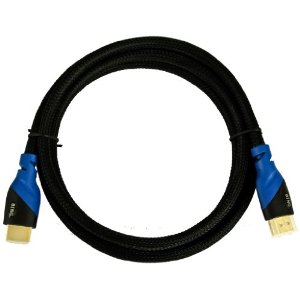
I also bought a 6 foot HDMI cable so that I can hook up my computer to my HDTV.  That way I can watch my web shows on TV full screen the way they were meant to be seen.  Heck, I can even play my game using the TV.  Not that I would but I have the option now.  The HDMI cable was only $5.50.  The reason I wanted to buy it with my order is because if I had bought this from Sears or any other place, I would’ve paid $20-$40 easily.  This  cable even had free shipping with orders $25 and over and since my order was over $25, everything was free to ship.

So, I am very happy about my purchase.  I wanted to stay loyal to Tiger but I also need to get what I need at the price I can afford and not spend that money on shipping fees.  See, I could have paid $29.99 for a video card then $8 to ship it to me.  What would be the point in spending that much money to ship it when I could spend that $8 on a better video card?

I could have gone to the computer store here in town on my bicycle but they are really expensive there.  We bought Darrin a new video card a few months ago and his only has 256mb of DDR memory (not DDR2) and his is an AGP video card.  His was $49.  That was a few months ago.  If a 256 DDR AGP video card is $50 then how much would a 1GB DDR2 PCIe card cost?  Probably $80 or more.  So that’s why I wanted to buy it online.  I’d rather wait a week for it to arrive than have to overspend getting the same or less quality.

The video card that is still in my desktop cost me over $100 from that same computer store.  In fact, I believe it was $125.  That was a Gigabyte Technologies GeForce 7600GS 512MB DDR2 PCIe Dual Link DVI HDTV.  I looked that up online and if I were to buy a new one it would cost $113 but the website I found it on has discontinued it so I can’t even buy a replacement (from that particular site).  I wouldn’t want to though because that dual link DVI thing bugged me every time I booted.  It would tell me it didn’t detect another video card or the dual link or whatever.  Every time I booted…  I didn’t have a 2nd card so naturally it didn’t detect anything.  Why would I have 2 video cards in when I only need 1?

So, it will take about a week to get it.  I’ve gone about 3 weeks without my desktop so I’m pretty sure I can wait another week.  As long as I have my netbook I’m pretty set.  And actually, not having my desktop to keep me busy playing Lord of the Rings Online has gotten me to start reading again so at least something good came out of this video card crashing like it did.