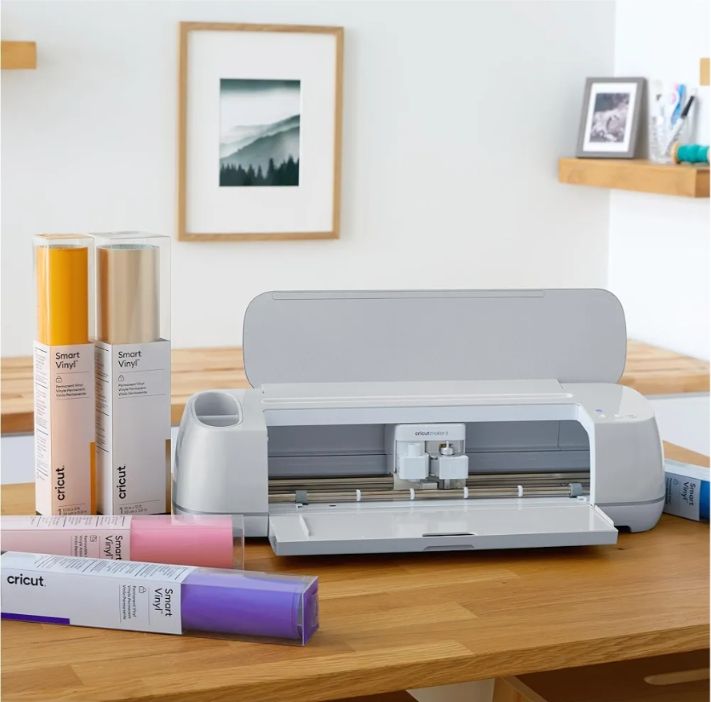
Cricut Maker 3

I’ve had a Cricut Explore Air 2 for almost 6 years, and over the last few years it has been slowly wearing down from use. I don’t use it every day, but when it’s time to start making box cards for certain holidays, it’s turned on daily and for at least 4 hours straight.

The first problem I had was the doors stopped opening when I pressed the button, I’d have to press the button and then help the doors open, and then when I cut my cardstock, the lower door would lift which caused the cutting mat to lift up while cutting. I don’t think that affected its cutting function, but it was rather annoying. Then it started making a grinding sound. The final thing it started doing is cutting the paper all wrong. This is 1 leaf cut 4 times for 4 cards of the same design. You’ll notice the 2 on the top are thinner, which caused them to break when removing them from the cutting mat, and they wouldn’t be very stable if I had to use them in my box card. I wasted 3 sheets of paper trying to correct this, and it wasn’t just this leaf, it was other leaves and all the twigs.

So we went to Michaels to buy a new Cricut Explore 3, but they were out and the salesperson brought out a Cricut Maker 3. I decided a long time ago if I were to need to buy a replacement Cricut that I would buy the Maker, but I didn’t feel like I should because I couldn’t justify the extra cost. Well, I decided you know what, screw it, I’m getting the Cricut Maker 3.

I used to use chipboard to make the box cards sturdier because the 65lb cardstock is a little flimsy and can cause the cards to sag over time. I think that put a lot of strain on my Cricut and eventually it wouldn’t even cut the chipboard anymore. I discovered Michaels sold 110lb cardstock, and so I’ve been using that for the pieces that need to be harder like the actual box part of the card and the layers inside that need to stand up straight that hold all the elements. and I’ve been using the 65lb cardstock for the elements that will stack on each other to create the different things, like leaves and flowers.

I discovered the Cricut Maker 3 needs a special tool for cutting thicker material like leather, wood and chipboard. I went to Amazon and bought a Cricut Maker 3 knife blade and housing for such things, and now I know they have wood and I’m going to see what I can make with wood. I knew it could cut leather, and now that option is on the table.

The score tool on my Cricut Explore Air 2 stopped scoring cardstock years ago, and now I can use the Cricut score wheel tip and housing. Because the score tool stopped working, I’ve been cutting the score lines for everything that I buy from SVG Cuts and Simply Crafty SVG’s. They come with score lines that actually cut the lines into your projects, so it’ll be nice to see how well the score wheel works.

I haven’t really cut many things that are vinyl or iron on, and my Cricut Explore Air 2 was able to cut those, and I only cut them when I needed to, but not very often. Now they sell vinyl and iron on that will cut without the need for a cutting mat, which will be nice if I ever make those things. I would love to make my own T-shirt designs, but I haven’t had very much luck with the iron lol. I’ve burned 3 shirts. I need to buy the Cricut heat press because it has a timer and will fit on most or the entire iron on, but I can’t justify the cost.

Oh I bought the foil thing when it first came out and I didn’t have very much luck with that. But I think it’ll work better with the Cricut Maker 3. I’ll find out eventually.

I did use the new Cricut Maker 3 to finish making all the leaves and twigs for the card I was going to make for Christmas, and they cut them out normally, which was a huge relief. I have many more box card designs for Christmas to make and I think I’ll have an easier time making them. I’m going to use the new score tool. It’ll make it go so much faster.

Easter box cards in my Etsy shop

I posted about my Valentine’s day cards, and I also have Easter box cards available in my Etsy shop.

These Easter cards are a bit smaller, so they don’t cost as much as the Valentine’s day cards. They are also the cutest cards to give away.

Check out this item in my Etsy shop https://www.etsy.com/listing/939492310/easter-3d-box-cards

I’ve made 4 of each card, but I can make more if someone wants more. The only reason I only made 4 of each is because the agreement I made with SVGCuts.com, which is who designed these cards, was that I could sell them in my Etsy shop, but I can’t sell them in bulk. But I wouldn’t want to sell them in bulk because I’m just one person making cards in my bedroom, and I don’t even know if anyone will even buy them, so I don’t want to count my chickens before they hatch.

So if you like these, please take a look at them in my Etsy shop. Share with friends.

Valentine’s day box cards in my Etsy shop

Before I got my Cricut Explore Air 2, I was never really a card person. I don’t know, it just seems like paying several dollars for a greeting card is a lot of money for something that’s 2 dimensional. Something someone is going to put in a drawer or even toss when Valentine’s day is over.

Box cards pop more because they are 3 dimensional. They fold flat and open like a box and stand on their own. Every person I’ve given a box card to has kept it. Some even keep them on display. The doctor’s office displays my cards every year for that particular holiday. The pharmacy has every holiday on display all year.

I made some Valentine’s day cards last year, and I only have a few left. I can make what I don’t have in stock. The reason I’m not making more is because I couldn’t find the right paper this year at Michael’s. But I do have the Easter paper, which means I can make a box with the pink paper. I do have plenty of the pattern paper, it’s just the solid paper that I couldn’t find. It’s just always out of stock.

Check out this item in my Etsy shop https://www.etsy.com/listing/780596321/valentines-day-box-cards

This is the listing for my Valentine’s day cards in my Etsy shop. I would love if you could just take a look. Thank you.

Cricut Explore Air 2 and Cricut BrightPad

Well, it happened sooner than I was expecting. I got a Cricut Explore Air 2, and it came with a free Cricut BrightPad from Michaels.

I mentioned in my last blog post that a friend had given me a Cricut Personal, which is basically one of the first electronic Cricuts ever made and that I wanted to buy a Cricut Explore Air 2 eventually, either by my birthday, or by Christmas.

I got an email from Michaels telling me about their new sale, and it said all of the Cricut stuff was on sale, so I clicked their link and discovered the 6″x12″ cutting mats for the Cricut Personal was $5.99 for 2 mats. I told my life partner the next morning that I wanted to go buy a pack of cutting mats and a new blade and on the way he asked how much a new Cricut was and I told him it was on sale and you get a BrightPad, but I don’t want him to buy it for me, and he said “Well, you might as well just get the latest one, I know you want it because you keep telling me what you can do that you can’t do now.”

So, now I have a Cricut Explore Air 2 and a Cricut BrightPad. I’ve been pretty busy making boxes and cards and their matching envelopes. I also bought some vinyl and iron on vinyl from Amazon so I can make more than just things with paper.

One thing to note about the cartridges that I bought from eBay is that if you buy something that has been used, there is a good chance that person has already linked the cartridge to their account, so you will be wasting your money on the cartridge if you are using it with a new Cricut. It will still work on the old Cricut, but if someone has already linked it, you are wasting money. I bought 2 cartridges from eBay, Creative Everyday Cards and Sweet Tooth Boxes. I was able to link Creative Everyday Cards because that one was brand new, but Sweet Tooth Boxes was already linked to someone else’s account, so it’s literally useless to me. Those patterns are available for Cricut Access, which I am using their trial right now and will probably continue to pay for every month, but if I quit using that, I won’t have access to those cut files.

I love my new Cricut Explore Air 2 and Brightpad. I’ve already made a thank you card for the person who gave me the original Cricut, plus I’ve made 2 Easter cards and 2 boxes for chocolate, one of which matches the thank you card.