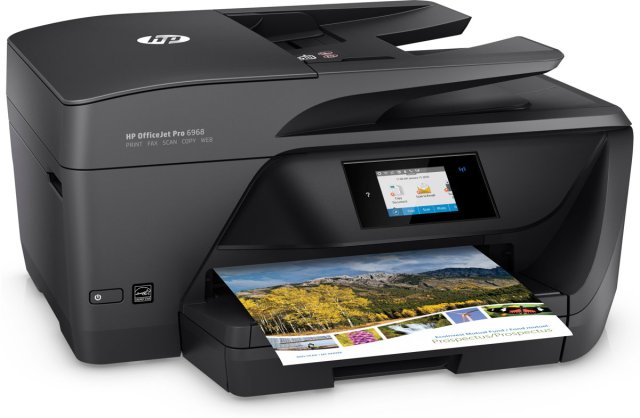
HP OfficeJet Pro 6968 Not Printing Color (SOLVED)

hp OfficeJet Pro 6968

It has truly been one of those days. I don’t know what happened, but all of a sudden today my printer decided it just wasn’t interested in printing color. I had a order that I was working on last night for my Etsy shop, and the person paid for her bracelet today when I reminded her of the link, and my printer kept printing the receipt in black and white. I was in a straight on panic. I did what I could today, but it still didn’t want to print, so I said fine, whatever, just give me a receipt. Then another order came in and again, black and white only.

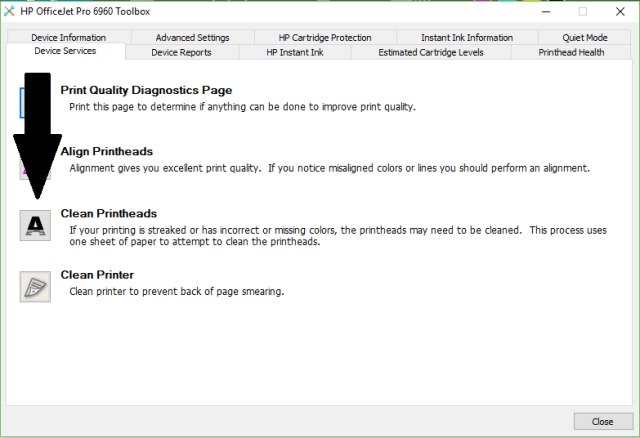
I’ve spent the entire day trying to get my printer to print in color. I cleaned the print heads at least 5 times, but nothing worked. Finally I decided you know if this last time doesn’t work then I just don’t know what I’m going to do. It cleaned the print heads, then printed out a sheet with only the black, but this time I noticed it ask if I wanted a 2nd level cleaning. I thought yeah ok, yeah you do that. I let it do a 2nd level cleaning and it printed color. It asked if I wanted a 3rd level cleaning, and I probably should have done that, but I thought you know, at least it’s printing, so let’s just stop here, and I am glad I did because I printed out some cards that I use to hang my bracelets with and it actually printed in full color just like normal, except it looked better than before.

So there you have it. If and when you have this problem with this printer, and you probably will, clean the print heads and let it do a 2nd level cleaning. If you still don’t get color in your printout, do a 3rd level cleaning. I hope someone was able to benefit from my misfortune.
2018-03-05

Kodak All-In-One Printer

Darrin bought me a Kodak All-In-One Printer for Christmas 2007. He bought it on Shop NBC and it was a very thoughtful gift. It has a scanner and you can print directly to 4×6 glossy photo paper with its very own slot to keep the paper.

It has SD card slots for several different kinds of memory sticks so you don’t even need a computer to print your pictures from your camera. Just put the memory stick in the printer and it prints directly to 4×6 photo paper.

The scanner does a fantastic job scanning with its Kodak technology where it fixes colors and stuff. It’s a great product. It’s selling point is that the ink is cheaper. The black ink is $10 and the color ink is $15. Good deal right?

Last month, after I’ve had it for about 6 1/2 months, it started messing up big time. I bought brand new ink cartridges for it and it ate it all up and I barely even used the ink and it was printing with white lines and all of a sudden it stopped printing the red and yellow ink. Darrin bought another package of ink (black and color together is $22) and still no red and yellow. I cleaned the print heads with the basic clean and deep clean and mind you these are brand new ink cartridges and cleaning the heads ate up all the ink on these BRAND SPANKING NEW ink cartridges.

The black has like 1/3 left and the ink is less than 1/4 left and it has the ! exclamation point on it saying it is running out and I need more. I haven’t printed anything yet for crying out loud. BRAND NEW! This used to be a good kick ass printer, now it’s crap. All it’s good for anymore is for scanning, that’s it. And it was $250. What a total waste of money.

Update: Kodak did do right by me and they sent me a new print head which totally fixed the problem.  So please don’t let this blog post change your mind about buying a new Kodak All-In-One printer because it really is a good printer.