A New I-loom App

I am still using my i-loom, because I still feel like the i-loom is the best tool for making friendship bracelets. The makers of the app discontinued the app a couple or few years ago, and I somehow knew this would happen, so before that happened, I copied all of the patterns I had bought and transferred them to a friendship bracelet designer program on my computer. And it was lucky that I did because they did in fact discontinue the app.

I don’t know what made me think about it, but today, literally just now, I went to Google and searched for the term “i-loom app” just because I was hoping to find an app that was similar to the i-loom app. I was hoping someone decided to create a new app. I found the actual i-loom app and downloaded it to my phone and went to sign in and it actually signed me in to my old account with all my patterns still there. It even allowed me to create a new pattern with letters, which is something that it wouldn’t let me do before because I had too many patterns in my account. When I say too many, I think it’s because they are repeats because I accidentally clicked the restore purchase button a few times because I didn’t know what I was doing.

So the app works again and now I can buy new patterns and heck, I can buy the packs on Amazon and use the code to unlock the packs that I wanted to buy.

I hope for anyone who has lost all their patterns that they will see this and go check it out and use the app again to make bracelets.

One thing I wished the app would do was to create new patterns from the patterns I have that aren’t in the app. Patterns I have bought from people on Etsy. That would be awesome because then I could use the app with a tablet instead of having to look at a printout or the pattern on the screen of my tablet or phone. It would be so much easier to use the i-loom app.

I am working on this pattern for someone and believe me, it would be great if I could import this pattern to the i-loom app. That would be so awesome. Please make that option available

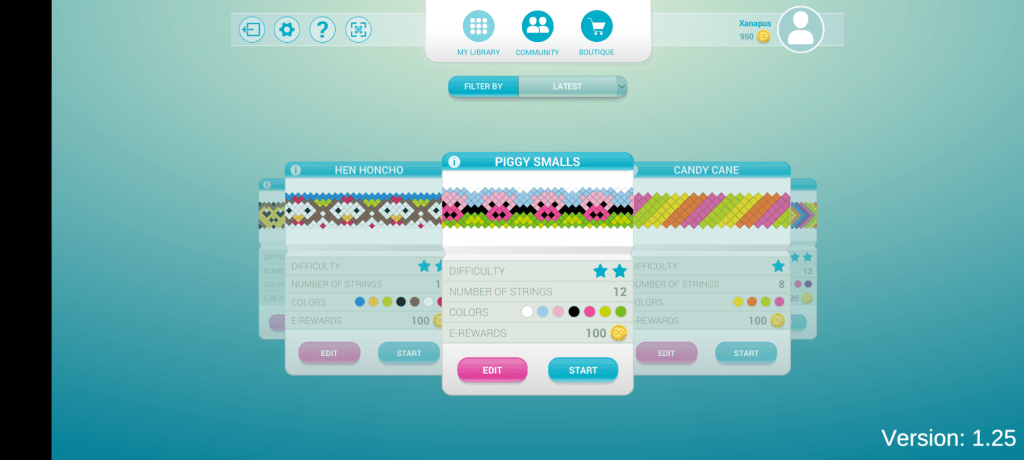
So the app doesn’t have great reviews, but I just gave them a 5 star and said what I just said here lol. Here are some screenshots. Apparently it came back last year in October.

2-in-1 KumiKreator Necklace and Bracelet

I have had this in my Amazon wish list for a very long time, but it wasn’t this particular one, it was the one that only made bracelets. I deleted it from my wish list because I didn’t think I would ever buy it. Then a couple of days ago I wondered how much it was, and I found this one, the 2-in-1 that makes bracelets and necklaces, and I thought, I gotta buy it! So I did, and to my surprise it was on sale for $13.69, regular price $24.99. So I thought I better buy it before it goes back up in price.

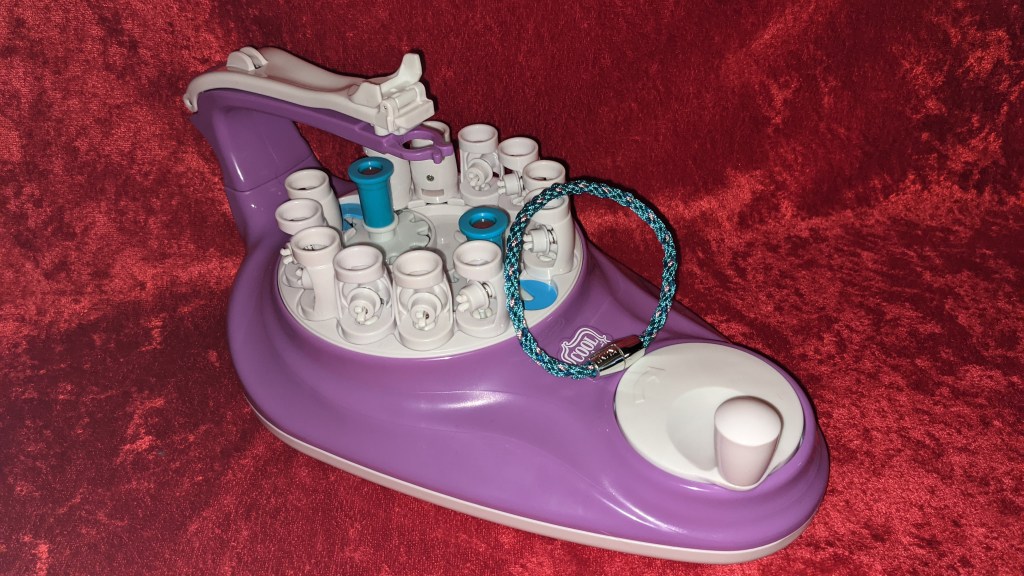
This thing arrived today and right out of the box one of the spools wouldn’t snap into place, but that’s fine because it comes with 12 spots for spools, so I could either make a bracelet with 8 strings or 10 strings. It’s not really that big of a deal. I mean, it would be nice if I could use all 12, but it’s fine. I don’t want to try to force it to snap into place and end up breaking the entire thing, you know?

I made a bracelet, as you can see in the image. It is an 8 strand bracelet and it is so tight. Oh my goodness, I can’t even tell you how happy I am about that. I was so afraid the strands would be too loose and it would look stupid, but it really surprised me. I think that’s the reason I don’t care that one of the spools won’t snap in place, because I can overlook that one issue because of the tightness of the bracelet.

So obviously when I run out of the strings they give you, I can just add new embroidery floss from my stash. There’s no way I’m paying for refills. The only thing I would really be concerned about is the clasps because they only give you so many of those, and then once you run out, you’re screwed, unless you can find something similar at a craft store. I have my own way of doing these things. I much prefer to add a braided loop at the very top with a knot in place, then make the Kumihimo bracelet, and then braid the very end and use a button to fit through the braided loop. That’s my preferred method, but while I have the strings that came with this, I will just use them up with their clasps until I run out, then go back to making them with braided loops and buttons.

I bought a My Circle of Creativity many years ago that has a Kumihimo pattern wheel. I searched Amazon for it to add a link here, but they don’t sell it anymore. I also went to their website and it’s not there either. Perhaps they discontinued it. Anyway, that’s how I used to make Kumihimo bracelets, and I did pretty good with that, but it’s slow. This 2-in-1 machine is really fast. I literally made the bracelet in the picture in 5 minutes.

So I’m thinking if you want to make something like this, either bracelet or a necklace, this is the thing to buy.

Update: Ok so I fixed the problem. There is a jam fix that they talk about on their website where you remove one of those plugs on the inner circle of the machine, and then you just line it up with the spool holders, and then you can remove them. Well, I did that and noticed there are screws in the back. I took a tiny phillips head screwdriver and just unscrewed it a little bit and that fixed it. Now the spools pop in place like it is supposed to and now I can make a bracelet with 12 strands.