PSP Game Wish List

I recently bought 3 new PSP games on Amazon. I didn’t think to check the PlayStation store first because I prefer to have games in their hardware form, like UMD’s. Of course, I guess it doesn’t really matter if I download a game or if I have the UMD. If a SD card fails, I can download the game again.

The 3 games that I recently bought were fortunately a good price to buy the UMD as opposed to the digital download, so I’m not stressing out on that. I went through my Amazon PSP Wish List and found several that are actually cheaper to download. Games like Dungeon Maker: Hunting Ground which is $19.99 on Amazon, but the digital download is only $9.99. Sonic Rivals in UMD format on Amazon is $24.89, but the digital download is only $6.99. Had I bought the UMD and then found out it was much cheaper to download, I probably would have beat myself up over that.

I counted at least 5 games on my wish list that were way more expensive in UMD format, but there are a few that are not available as a digital download, so those games I can buy in UMD format, like Assassin’s Creed: Bloodlines. I had no idea that was even available for the PSP, PS Vita sure, but PSP? Who knew?

It is actually a better idea to buy the digital download of some games anyway because if I eventually do decide to upgrade to PS Vita, I will be able to download and play these games, because they are compatible, but I won’t be able to use the UMD on a PS Vita. So much for being Universal (UMD = Universal Media Disc).

The only unfortunate thing is the security protocols on my home’s wifi cable modem/router. I cannot connect to the PlayStation store directly from my PSP. That’s actually not a problem because I can buy the games from the PlayStation Store website, then use Media Go to download them onto my PSP via the USB cable. It sucks that I have to do that, but it gives me the chance to back up my game data to my computer anyway, so it’s actually a win/win.

I currently have 3 new games to play, plus some new games that I bought from a pawn shop, so I have more than enough to keep me busy, but I still wouldn’t mind buying a few of these digital games because I still want to have the option to play them. I will when I have some extra money.

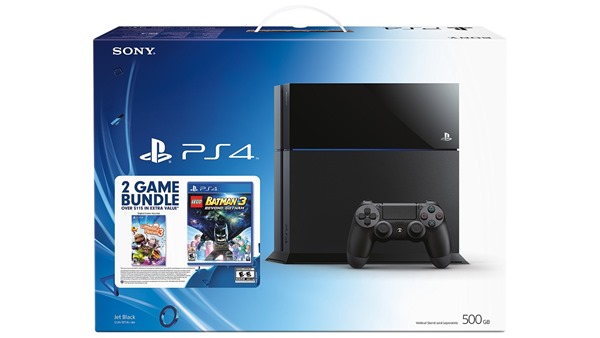
PS4 for Christmas

ps4

My partner saw a commercial for Xbox One and asked if that’s what I want for Christmas. I told him I don’t want you to buy me an Xbox because they are way too expensive. He asked if I would play it and I said hell yes, but I don’t want you to buy it for me.

Up until that point it never even occurred to me that I might want a video game system for my TV. I mean, I’ve thought about it every now and then, but when I saw how expensive they were, the thoughts faded away. But now I can’t stop thinking about it.

This weekend is Black Friday and Cyber Monday. They are at least 23% off, but even still, they are way too expensive for me. The regular price of a PS4 is $520 and right now they are on sale for $400. That’s a lot of money to save, but $400 is also a lot of money to spend.

And I settled on PlayStation 4 because I already have PSP and they have much different selection than Xbox. For example Xbox doesn’t have Little Big Planet. I have some games that I love for my PSP that they don’t have anywhere else, like Jak and Daxter & Ratchet and Clank. It’s a brand, like Nintendo has Mario and Zelda and you can’t play those anywhere else. This particular game system has the Little Big Planet and Lego Batman 3. I mean don’t get me wrong, I would LOVE either Xbox One or PS4. I would be more than happy with either one of them.

Another reason I settled on the PS4 rather than Xbox One is because of the camera. I checked and the Xbox Kinect is $100 to $200. The PS4 camera is only $40. Huge difference in price. The only reason I would want the camera is so that I could use it for the dance games, which burn calories because it is cardio exercise. The Xbox One Kinect is more than just for exercise, in fact you can control your TV from what I understand, but I would probably never use that. In fact, if I did have that, every time I talked, Chip would ask me who I was talking to, so it’s better that I don’t have a game to talk to lol.

It’s a nice thing to think about, and I even created a Amazon wishlist for PS4, but I highly doubt I will ever be able to buy anything from that wishlist. Maybe one day, but probably not this day, or any time soon. If Santa “made” one for me, and it happened to be under the tree on Christmas morning, then I would be the happiest 44 year-old child the world has ever seen, but I highly doubt that would happen.

New PSP Games

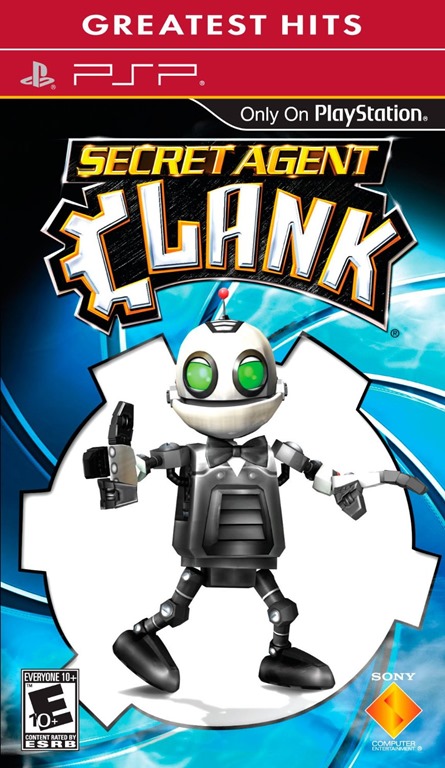
Castlevania EyePet Jak & Daxter Secret Agent Clank

I’ve been having fun riding the bicycle in the patio with my new bicycle trainer. I’ve been listening to music with my Dell DJ, but it gets boring just sitting there in the same room looking at the same thing, which is a door and a bunch of junk lol. If the patio were cleaned up and there were furniture to look at then it might be more pleasant, but I’m sure I’d get bored of looking at that too.

Yesterday when I was riding on the bicycle, I decided I would bring out my PSP and play a new game that I recently bought at a pawn shop that was closing. I rode the bicycle for 36 minutes while playing and it seemed like time flew by. I would have kept going past 36 minutes if it weren’t for the fact that my butt became numb because of the way I was sitting. I have an Ergo bicycle seat, so I really should be holding on to the handlebars to stay upright. Playing with the PSP kind of moved me in an awkward position, so my butt became numb lol. I’m going to buy a new seat next time I go to Target. They have the beach cruiser seats which is probably more comfortable anyway.

I have a page on my website for all of my PSP games. These 4 games in particular are EyePet, which I bought specifically because I wanted the camera lol. I know it’s stupid because I have a good camera on my cell phone, and I have a good video camera that takes pictures, so why would I need a camera on my PSP? Well, considering it’s only $13 and it comes with a game, I thought it was worth the price, and I want to buy all of the accessories and games that I can before they stop selling them.

I bought Secret Agent Clank because I love the Ratchet and Clank games. I have one of them and I loved it, but I haven’t played it in such a long time that I have no idea what I’m doing. I bought Jak and Daxter because I love the Daxter game that came with my PSP. I have always wanted to play this one. Castlevania is a game I’ve wanted to play for a long time. It’s not the same as the other cool PSP games like the Daxter and Clank games, it’s like a side-scroller you would see with Nintendo and Sega games. I actually love side-scroller games.

PSP_Real_View_V-Screen

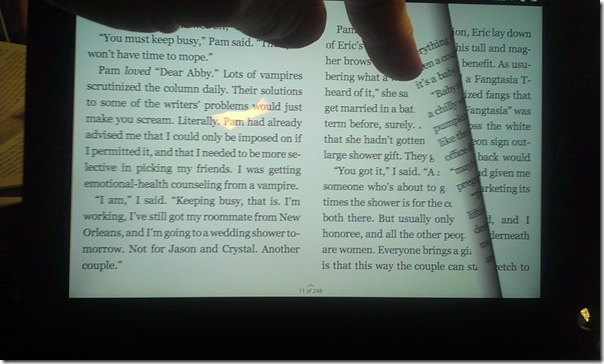
This is a PSP Real View V-Screen Depth Enhancer. It acts as a case for your PSP, and when you open it, you can pull down a magnifying glass that makes your game bigger, and it is supposed to add 3D to your 2D game. I watched a YouTube video to see how it works, but the reviews weren’t so great. I bought it anyway because like I said about the camera, I want to buy all the accessories and games that I can before they stop selling them. I want to experience everything I can before I can’t anymore.

I had something similar to this for my Game Boy, but it wasn’t a case, it just slid over the top of the game boy and you could see a bigger screen, it also had a light. It didn’t turn my 2D game into a 3D game, but from what the video reviews said on YouTube, neither does this lol. I really don’t care too much about that. It was only $5.29 with free shipping. You can’t beat that.

I have more games in my PSP Games Wishlist on Amazon. Of course, Sony Online Entertainment stopped making new games for the PSP because they are focusing more on the PS Vita which has a smaller game stick rather than a UMD Universal Media Disc. So much for it being universal. They also have downloadable games in the Playstation Store that I can buy, but unfortunately my new WiFi Cable Modem uses a specific security that my PSP cannot connect to, so that has totally screwed up my ability to ever connect to my WiFi again. No more browsing the PlayStation store for games and no more browsing websites, not that I needed to, and no more using Skype.

These games and the Real View V-Screen Depth Enhancer will arrive either this Friday or Saturday, or in the middle of next week. I really look forward to the Jak and Daxter game. I have so many games now, but I haven’t finished all of them because I get bored with them. Maybe I will put it on my bucket list to actually finish a game that I started to get some kind of closure on each game. That would be nice lol.

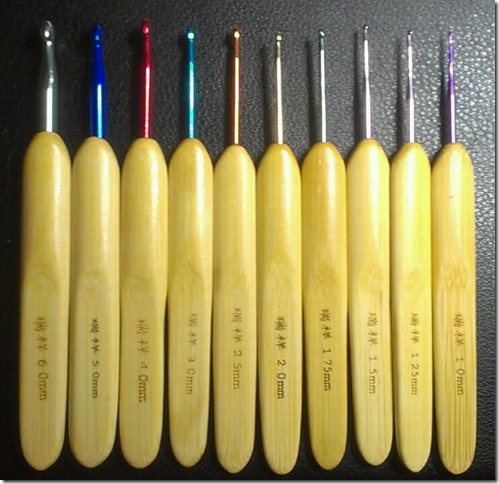
10 Sizes Bamboo Handle Alumina Head Crochet Hooks Needles 1-6mm

20140829_125720_Android

I bought a pack of 10 sizes bamboo handle alumina head crochet hooks needles ranging from 1mm to 6mm on August 16, 2014 and they shipped from China Post and arrived in less than 2 weeks. I received them on August 29, 2014. I am very surprised they arrived so fast because according to the delivery estimate, I should receive them from September 11, 2014 to September 29, 2014.

These are numbered in millimeter and I had to find out from Google what it was that I had. 5 of them are for Filet crochet and 5 of them are for yarn. Although 2 of them are really too small for yarn, but they are too big for filet. The 3 largest sizes are G, H and I which are what I am most interested in anyway. I never do filet crochet because of how difficult that can be, but I was curious to see just how easy or difficult it would be to use them.

20140829_194110_Android

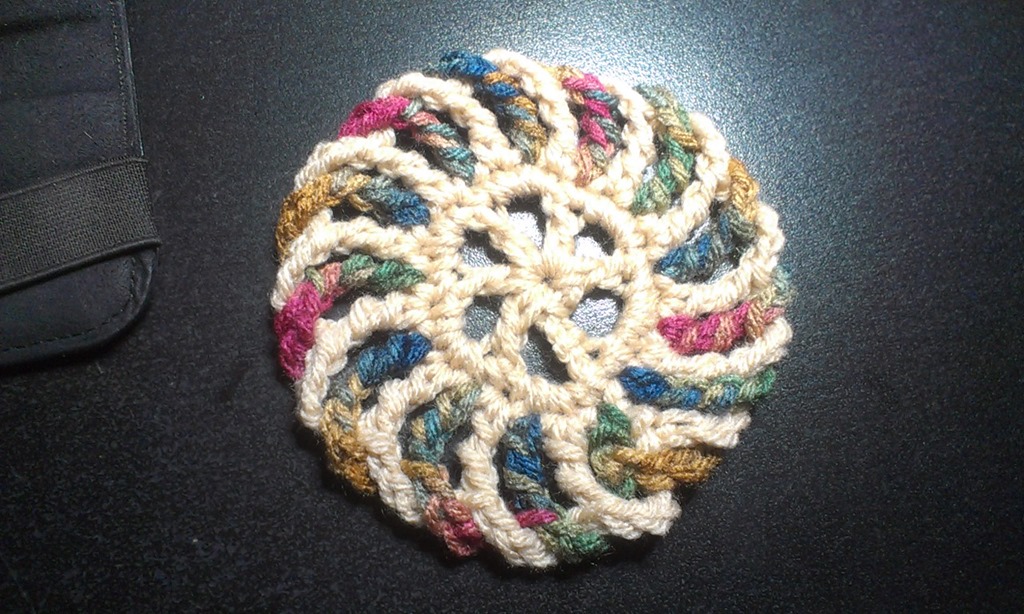
The coaster on the left was made using a size G hook and the one on the right was made with 1.5mm crochet hook. It is about the size of a silver dollar, well, maybe a bit bigger than a silver dollar. It is cute and if it were to be used as a coaster, it would only work for a shot glass, and come on, who uses a shot glass long enough to use a coaster? A friend has already claimed it for herself, in fact, she wants me to make a duplicate and turn them into a pair of earrings lol. Someone else suggested Christmas tree ornament. I have seen several Christmas crochet projects like Christmas trees and Candy Canes, so perhaps that is a good idea to make with filet crochet with embroidery floss and turn them into earrings.

20140829_184500_AndroidI made another coaster with a size I hook, which is the biggest hook they sent me. It’s the same pattern as the peppermint candy, but it’s not peppermint because I didn’t use the white and red, I used tan and Painted Desert. It is a good size bigger than the red and white one and it feels so much softer. I really like the bigger size, but my partner told me that he thinks they should be the smaller ones with the G hook.

How do they feel?

They are really nice to hold. I have carpal tunnel syndrome, so when I crochet, the nerves in my palm pinches and it hurts. My hands get numb whether I’m using regular or ergonomic crochet hooks, so that didn’t change. When I was crocheting with these hooks I wasn’t feeling any pain or pinching but then again I also wasn’t crocheting for a few hours either. I don’t know if using these for an extended period of time will cause the pinching, but I don’t intend on finding out because I won’t go crazy crocheting everything in sight.

So it was a good purchase. I paid $6.23 and got free shipping. I bought them on Smile.Amazon.com and a donation went to DoSomething.org.

@Kodak Hero 6.1 Ordered

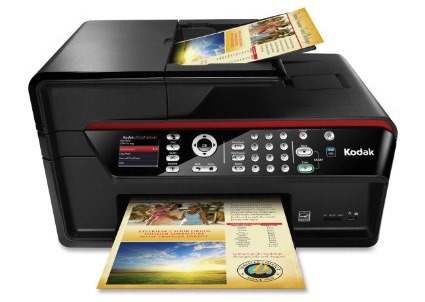
I have some good news for my printer problems. Thankfully I was able to borrow the money to buy a refurbished Kodak Hero 6.1 All-In-One printer. I went back into a chat text with Kodak and gave them the reference number for my previous conversation and of course they told me that to get this, I had to call the number, so I did.

They are sending me a refurbished Kodak HERO 6.1 Wireless Color Printer with Scanner, Copier & Fax. It was $89.99 plus $7.31 tax and $7.50 shipping, so it was $104.80. Not bad considering this printer is on Amazon for $449.99 (price keeps changing so it may be more or less when you click the link.)

The dimensions are around the same, or near the same as what I have now, so I don’t think I will have to worry about that. The woman I spoke with told me that it doesn’t have a power adapter, but they will ship me one. I asked how much that was going to be and she said nothing. Thank goodness because the email I got said the discount on that was $66.50. YIKES! For an adapter and power cord?

Another email I got from them said that this printer will not come with a print head or any printer ink, which kind of sucks, but I think they didn’t include it because I told them that I bought a printer head and more ink on Amazon. So thank goodness those aren’t going to go to waste, but it sucks because I was hoping to have it as a back up. But, ink has already gone through it from when I tried using it on my other printer, so it’s a good thing I am going to be using that because the ink would have dried out making it useless by the time I would actually need it.

I am very happy that this has a fax machine on it because I can count a dozen times when we had to go to a FedEx Kinko’s to fax something. I’ve been asked at least a dozen times if I could receive a fax and I could never say yes, so now I can.

The email I got said

“You will be receiving a replacement printer in 3 to 8 business days. If the printer replacement order is created after 3:30 P.M. Eastern Time (EST), the order will be placed the following business day.”

The woman I spoke with from Kodak told me that she was placing the order now (or when I was on the phone with her anyway) but didn’t mention that because it was after 3pm on Friday that it wouldn’t be placed until Monday, but that’s okay, I’m sure it won’t take that long to get to me. I am sure I will get a shipping confirmation as soon as they ship it out with a tracking number that I can obsess over and check it 20 times a day to see that it hasn’t been updated in hours. I have OCD lol.

So I look forward to receiving a new refurbished printer. It isn’t the newest model which is the 9.1, but I’m flexible. I am happy with what I have. I am sure we will have many years of fun printing, scanning, copying and faxing. It’ll be fun.

No More @Kodak Printer

kodak easy share all in one 5300

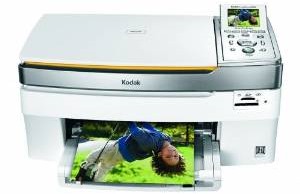
I have had my Kodak EasyShare 5300 All-in-One printer for many years. My partner bought it for me the year it came out. He bought it on one of those home shopping shows with a credit card. I believe it was the NBC home shopping channel.  I’ve had issues before and Kodak has sent me a new print head and it fixed it, in fact that happened twice. This time my issue is that it wasn’t printing anything, I was getting blank sheets. I figured the same problem was happening so I bought a new print head from Amazon along with more ink which I paid $40 for. Yeah, um… that still didn’t work.

I went to the Kodak website for help. I clicked the contact button and I spoke with a Kodak tech support via instant message through their website. I told them what happened and that I bought a new print head and new ink and I was getting blank sheets. He told me after about 20 minutes that it sounds like a hardware issue. In all fairness, my printer is pretty old. I would say it is about 6 to 8 years old, so I am sure it is just ready to die lol. He told me that he can offer me a refurbished Kodak Hero 6.1 for $89.99. I don’t have the money now, I have spent $55 this month on a print head and ink, so I can’t possibly afford to spend any more money considering I am down to about $15 in the bank and $15 on PayPal and I need every dime I can get to buy groceries, and we’re only in the middle of the month.

kodak hero 6.1

This is the Hero 6.1. It is a nice printer. Not only does it print and scan, but it also works as a copier and it has a fax machine in it and it is wireless, which means we can print from our respective tablets. But, without money, there is no way I can afford this.

I had to close my Etsy shop because I can’t print shipping labels or receipts. I reopened it because I really need the money to survive this month. $30 isn’t going to go very far. When someone buys something on my Etsy shop, they will get a receipt via email so I really don’t have to print a receipt, and I can bring all packages to the post office to mail them, it will cost me twice as much in postage, but I am still in business without my printer.

I told the Kodak tech support guy that I can’t buy the printer now, but I would love to have the option next month when I have the money and asked if I could still buy it and he said to keep the chat reference number and to open a new support chat and mention the reference number when I am ready, which I will.

After I left the chat I tried printing again and it did print the demo sheet, but it was all blue. I tried to print the calibration sheet and it printed it with the blue and the red, although it was more pink. It didn’t print any other color. I tried printing the back of my friendship bracelet business cards which is all black text and it was a blank sheet. I tried it 5 more times and got 5 more blank sheets. I definitely need a new printer.

The Hero 6.1 is $366 on Amazon and they sell the refurbished ones for $100 so $11 less is good. I would have to pay for taxes and shipping, so I’m sure it would come to about $110 to $120, but that is still better than $366. Who knows if I will be able to buy it though. If I get a bunch of orders then I might be able to (hint hint wink wink).

Nook HD+ from Barnes & Noble

Nook HD+ from Barnes & Noble

I love my Nook HD+.  I have been having so much fun with it since I got it for Christmas, actually the week before Christmas.  Yeah we don’t conform to the traditions of opening your presents on Christmas day, or even on birthdays.  We open presents the day we get them.  Screw tradition lol.

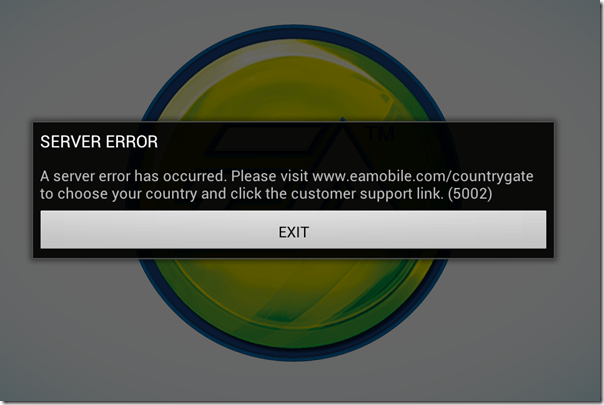
My Nook HD+ has a 9” screen, so it’s bigger than the Nook HD in the sense that it has 2 more inches, but I’m telling you that because there are certain apps that work with 7 inches, but don’t work with 9 inches.  Like The Sims FreePlay and Viggle for example.  The Sims FreePlay is downloadable, you just can’t play it because you get this warning when you try.

The Sims FreePlay

I am not sure if The Sims FreePlay will even work with a Nook HD 7” tablet.  I know it works with the Kindle Fire because I’ve seen people taking pictures and video of it on that device.  I’m pretty sure it was the 7”, so if it runs on the Kindle Fire 7”, then it probably runs on the Nook HD 7”.  If so or not, please let me know.

Viggle on the other hand doesn’t even show up in the Google Play Store, so they don’t even give you the option.  I know it works on 7” tablets because I installed it on my partner’s tablet to see if I could do trivia when trivia wasn’t giving me any points with my phone.  It installed and looked great too, but the trivia was not working on his tablet any better than it was on my phone.  Although, just because it installed on his tablet doesn’t mean I know if it will install on a Nook HD 7” tablet.

Facebook isn’t great on the Nook HD+ when you use the app.  Using the browser is so much better because you get the full website that you get on the computer, but the only problem I have is when I use another tab to visit another website, or even if I use an app, like if I go check my email, when I come back to the Facebook tab, it goes straight to the mobile version.  If I wanted to use Facebook mobile, I would just use the Facebook app.

The Twitter app that comes with the Nook HD+ from the Nook store isn’t updated, so it’s better to let Google Play update it.  It’s easy to use and if you have multiple twitter accounts, you can switch back and forth very easily.  It’s actually better on the Nook HD+ than it is on my phone.  When I am using @xanapus on my phone, then try to switch over to another twitter name, for some odd reason it switches me back to @xanapus.  It doesn’t do that on my Nook HD+.

I didn’t like the Google+ app on my phone and I rarely ever use it on my computer, but it is great on the Nook HD+.  That’s one of the social media websites that I wanted to start using more often.  It has a much better look than Facebook does in my opinion.  Google+ doesn’t force you to look at ads or suggested posts.

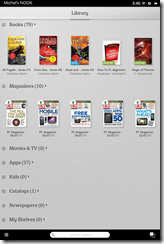
One annoying thing that I noticed is that when I am in my library, I scroll down to My Files and see there are 564 files.  How the heck am I supposed to weed through all of those files to get to the ebooks I have downloaded?  Well, I discovered that if you click the words My Files, it brings up a new window which shows folders.  They are in the Download folder.  I have 6 ebooks that I downloaded from the EverQuest Next website that are fiction based books based on EverQuest the game, but they are all in PDF format.  Ebooks that I’ve downloaded in ePub format will show up with my Nook books, but the PDF files don’t.  I did download an app called File Manager HD which allowed me to create a new folder in my download folder so I could keep the EQN ebooks in there to keep that folder more organized.

PicsArt Photo Studio is a good app that I use on my phone to add stickers and frames and text to my pictures, but it’s such a small screen that sometimes it’s difficult to see what I’m doing.  My Nook HD+ doesn’t have a camera, but I can use Google Drive to retrieve my files.  What I really like most is that I can write on the screen with this.  I can do that on my phone, but it’s too small.

Happy New Year 2014

Okay, so my handwriting isn’t the best, it’s even worse on paper lol.

ChromecastSome useful apps that come with the Nook HD+ include Netflix and Hulu+ and if you have a Google Chromecast, you can watch them on your TV.  You don’t even need to have the Google Chromecast app installed to use it.  I know this because I bought it for my partner and I couldn’t get it to connect to his tablet.  I connected it with my CR-48 aka Chromebook, then was able to connect it to his tablet.  I don’t have the app installed on my Nook HD+ or my phone, but the icon is visible on YouTube, Netflix and Hulu+.  I guess any Android or Apple device that is connected to my network will have that ability.

Of course, other good uses for the Nook HD+ is actually reading a book lol.  You aren’t limited to Nook books either, you can read your Kindle books plus your Google Play books.  In fact, if there is a service that sells ebooks, you can read the books you bought from them, including pdf files and ebooks.  Some writers only publish their ebook with Amazon KDP Select because they get more advertising, and if they chose KDP Select, they can only publish with Amazon for 3 months.  That’s why it’s good to use the Kindle on my Nook, because some ebooks aren’t available on the Nook.

One of the features that I do like is the Nook app “Your Highlights and Notes.”  If you do a lot of highlighting and like to add notes, this is a good thing.  It had all the highlights from the Nook for PC when I got it, but it didn’t show any text.  When I add new highlights, it shows the page number and the first couple of sentences that I highlighted, and if I left a note, it shows my note.  That makes it so much easier to find every highlight and every note on every ebook you own whether it’s downloaded or in the cloud.  Highlighting and leaving notes on my Nook WiFi was so difficult and as soon as I started reading another ebook, all of the highlights and notes disappeared, which was very frustrating.

There is also a Nook app called “Your Lookups” that shows you every word you ever had to find the definition for.  That does come in handy if you ever want to find that specific word again.  The list of words you looked up are on the left, and the word, the book you found it in, the page and the date and time you looked it up are on the right along with the definition of the word.  WOW!  Now you have a record of the date and time you learned a new word.

Anyway, these are some of my thoughts on the Nook HD+.  I like it a lot and I will get a ton of use out of it.  I still have my Nook WiFi and I don’t think I will use it as often for reading ebooks, but if the occasion ever arises when I go outside to read, I will be able to use it.

Nook HD+ for Christmas

desktop landscape

I was totally not expecting this, but my partner bought me a Nook HD+ 32GB for Christmas. I was saving money to buy an Amazon Kindle Fire because I thought it was better than a Nook tablet. I had no idea that the Nook tablet had the Google play store now. So I changed my mind, but was still saving the money and was expecting that I would finally have the money saved by my birthday in June. I told my partner what I was planning, and I think he took that as a hint. It wasn’t, but hey, I’m not complaining lol.

I have a Nook WiFi, which is still very nice to have for when I want to read a book in the sunlight. That doesn’t happen very often, but it does happen. You can’t see a tablet screen in sunlight which is what makes a e-ink screen superior than a tablet in that sense.

I was saving up for the 7″ screen with only 8GB, but when we were at the Barnes & Noble store he saw the two screens next to each other and decided for me that the 9″ screen was better, and that 32GB would also be way better than only 8GB which I highly agree with. The price however was a huge difference. The 7″ tablet was only $129 and the 9″ was $179. I agree that the one he bought me is better though, and I probably would have regretted not getting the bigger one.

library portrait There was a problem with my new Nook though. The first day was okay, but the second day wasn’t. The screen started freaking out on me. It would move side to side on its own and it would drop app icons onto the desktop from the carousel at the top. It also went into my library and started downloading books and magazines from the cloud. I saw it in the Nook store and freaked out that it would start making executive decisions on what it thought I should start reading.

I called the store and tried to explain to them what was happening, but the tech didn’t get it right away. She eventually understood and walked me through resetting it to factory and told me if I had any more problems to bring it in for another one. It did, and so we went in the very next day. It was a good thing too because they were on sale, so they gave my partner the difference, which was $32. Not bad eh? Instead of being $179, it was only $149.

So yeah, the Nook HD+ 32GB was a very good thing. I’ve been putting my computer in sleep mode while I use the Nook as a computer. No sense in using electricity if I’m going to use a tablet instead of a computer. I am disappointed that I can’t play the Sims FreePlay on it though. I’ve been playing that on my cell phone for a year now and it gets frustrating when it crashes constantly. I would love to free up some space on my phone and play it on a bigger screen.

landscape book

I was worried that I wouldn’t be able to read books on the screen because I much prefer either paper or e-ink, but it’s actually not that bad to read from. I’ve been reading in landscape mode and it reads just like a book, it even looks like a book when you turn the page. The reason I’m reading in landscape mode is because of the case I have. It’s much easier for me to read with the Nook sitting on my desk than it is to hold it on my hand.

I am very happy with my gift. I’m even happier that I didn’t have to save the money for it because I can’t save money very easily because it always goes into the groceries. I’m even happier that the replacement didn’t freak out like the first one lol.

We didn’t buy the case in the store because I thought they would be expensive, so I bought it on Amazon for $11 with free shipping.  Not a bad price.  I found out that the cases they have in the store are only $15, but I am very happy with the case that I have because it rotates so it can stand in portrait or landscape mode.

We don’t conform to the rules of opening your Christmas presents ON Christmas day.  Screw that noise lol.  We will open our presents when we gosh darn well please thank you very much.  The present I bought for him wasn’t quite as expensive though, it was the Google Chromecast for $35.  He can use it to watch Netflix or YouTube directly from his tablet.  My second gift for him was Netflix itself, which we both can enjoy from our tablets and the Blu-ray player.

Make Holiday Money Online

christmas cash

Want to know how to earn money on your smart phone or computer for the holidays?  It’s not very difficult, although it does take a lot of time and patience.  Here is how I make extra money.  Blogging, surveys and watching videos online.

Blogging

Blogsvertise

Click Advertise on My Blog

Blogsvertise isn’t as good as it used to be, although I am not counting them out of the game because it is possible that some day I might get new opps, although it has been a long time so I’m not holding my breath either.  They usually send you an email telling you to write a 200 word, 3 paragraph blog post and you get paid a certain amount of money depending on your blogs rating.  The higher your PR is, the more money you will make.  Although from what I understand, Google doesn’t use PR anymore, advertisers still request PR1 or PR3.  They do have pay-per-click opportunities, but I have never made a dime from those, so they don’t work very well.

It takes 30 days to receive your payment through PayPal and there is no limit to the amount of money they will deposit.  If your payment is $10, then they deposit $10.

PayPerPost
PayPerPost is a company owned by IZEA.  They send you emails with leads and you can either accept or decline them.  You just write your blog post about the website and enter the link to the post and you get paid 30 days after it is approved.  There isn’t a limit to how much money you can withdraw, but know that if it is under $50, they will take $2 from you.  It’s a good thing to wait for that to build up to $50 though.  I still have $23.50 in my account, although it has been quite some time since I have gotten an opp.

SocialSpark

Set Your Price. Choose your Advertisers. Sign up for SocialSpark!

SocialSpark is also owned by IZEA and for some reason I get more opportunities here than PayPerPost, although it has been quite some time since I have.  I also have a pay-per-click (PPC) ad on my blog which does generate revenue each month, so whether I write a post or not, I will receive money in my account, although it is a tiny amount.

Much like the other blogging websites above, they send you an email telling you that you have a lead or an opportunity and you either accept the lead, or take the opportunity, whichever the case may be.  Unlike the other 2, when you are ready to write your blog post, you have to write it within the website, not your own.  They will post it to your blog on a specific day and time, usually the next day or so.

It also takes a month to receive your payment, and like PayPerPost, you can withdraw any amount you want, but they will take $2 out if the amount is under $50.

Surveys

Swag Bucks

Search & Win

Swag Bucks is a great way to earn money by doing surveys, watching videos, playing games, downloading apps and getting paid to shop or search the web.  I haven’t received a payout yet, but that’s because it is not the easiest way to earn money because I get disqualified from I would say 8 out of 10 surveys because I didn’t meet the criteria for whatever reason.  You earn very little for watching videos and I haven’t even figured out how to earn money from playing games yet.  When you do earn swag bucks from surveys, it is a good amount.

When you have 450 swag bucks you are eligible to redeem a $5 gift card for Amazon.  Some rewards are 500 for a $5 value, but Amazon seems to require less.  They do have good rewards though, like Amazon, Target, PayPal and Starbucks, just to name a few.

SuperPay.Me

SuperPay.Me is a new website (new to me) that I just started using.  In just a short amount of time I have earned $1.43 and 104 points from doing surveys, installing apps and watching videos.  One of the very odd ways of earning money is by clicking a banner ad which opens a new tab in your browser, and you have 5 to 60 seconds to look at a website before you earn your credit.  The credit isn’t a lot, but it’s free money, so why wouldn’t you do it?

The reason I am suggesting this website is because you can withdraw any amount of money you want at any given time.  Like say you have made $1.00 and you want that dollar, like right now, you can withdraw it to your PayPal account.  How you make money from points is you can either get a $5 Amazon gift card for 500 points, or you can convert your points to cash, or you can convert your cash to points.  It is up to you how you want to be paid.  I would personally keep earning as much money as I can until I need it, then withdraw it and get a lump sum.

Amazon Mechanical Turk

Amazon Mechanical Turk is not the same thing as everything else I listed above this one.  You choose tasks called “HIT” and do whatever it is they want you to do.  Like for example, my first task was to write down everything in a store receipt along with their price, including coupons and voids.  You know how a receipt shows initials instead of long names because there really isn’t much room for a long name?  Well, you have to type in the long name I guess.  Anyway, that one particular task gave me 2 hours to do the task, well, that’s perhaps a 10 minute task if you ask me, but they kept saying I didn’t do something right and to keep checking.  I forgot to add 1 yogurt and 1 dozen eggs, but everything else was right.  I checked it, double checked it, triple checked it, quadruple checked it… I basically checked it about 20 times and it was correct.  I finally just submitted it whether it was right or not because it was right in my mind.  If I don’t get paid then that’s okay, it was only .06 cents anyway.

You aren’t going to make very much money with this which is why I don’t completely recommend it.  It is Amazon, so when you get paid, they will pay you money, or you can choose Amazon credit.  I personally would rather have Amazon credit because I’m always buying things on Amazon anyway, so I might as well just have some money in my account.  But I can’t say that I will be doing this enough to make much of a difference.  It takes way too long for only 6 cents for that one task.

Watching TV

Viggle

Viggle isn’t a website, it’s an app for your Android or iPhone.  You earn points for watching tv and doing trivia while watching your show.  They have some good rewards, although they come and go so if you want a specific reward, you may have to wait for it to come back.

In 2013 I earned $50 in rewards for Barnes & Noble.  It cost me 50,000 points for $25 which I redeemed twice (months apart).  I don’t see it on their website now, but I will continue earning more points to redeem more for the same reward.

RewardTV

RewardTV is a website I used many, many years ago.  I didn’t even know they were still around, but you can make a lot of points just buy doing trivia on shows that you watch.  Like say you watched Once Upon A Time last night, today you can do trivia on what you saw.  I completed the trivia and got 2 questions wrong, but they weren’t questions for the show, they were for the commercials during the show.  Look, I’m not paying attention to the commercials LOL.  Those are pee breaks people!  At any rate, for this specific show, I earned 10,500 points.

I can’t tell you how to spend your points.  They don’t have a rewards page for redeeming your points like the other websites I suggested.  They do have sweepstakes, pay for my stuff which I assume is basically sweepstakes, auctions, and shopping spree, which I have no clue how that works.

So even though I have no clue how you can make money from this, I am still suggesting it because points are very easy to make if you remember what happened in the show that you watched the day before.  I am sure you will figure out how to spend your points.

Those are all I can think of for right now.  I wrote a post about making money from your cell phone, but I didn’t keep those apps because I didn’t use them as often as I would have liked, but I stand by them because they are a good way to earn money if you are willing to do what they ask.

Weight Gain

WeightGain

We went to the doctor’s office today so I could get my clearance note for surgery to remove my parotid gland.  They had me step on the scale and I was shocked to see that I was 205lbs.  So yeah, I’m a bit verklempt lol.

One of my issues with exercising is that when I walk or ride my bike or do anything that burns calories, the Noom app tells me that I can eat more calories, so I end up eating those extra calories, but then I might even go over those extra calories because I think to myself that I did such a good job that it’s okay.  Well, that’s not how it works.  I should still stick with 1400 calories, 1500 at the most.  Even if it says I can eat 1700, I should draw the line in the sand at 1500.

I’ve been using the Noom app for my cardio, but I decided to download the Noom Cardio Trainer.  I’m sure that it will still show the extra calories in the Noom app, but I just want to see how it goes with the Noom Cardio Trainer.

I’ve been eating those Quinoa and Tofu burgers every day with hamburger buns which is not a good idea; I should be eating them without any bread.  Here is my typical day:

Every morning I will either have a bowl of Malt-O-Meal or a banana for breakfast, which by the way the Malt-O-Meal is a green food (which means healthy) and the banana is obviously a green food.  For my morning snack (second breakfast?) I usually have a banana.  For lunch I normally eat a Weight Watchers Smart Ones frozen dinner, although I’ve been eating the Quinoa and Tofu burgers, both by the way are green, except for the bun of course.  Afternoon snack (linner?) is typically a banana or crackers or sometimes I will have a bowl of broccoli.  That has been consistent.  Dinner is typically a Weight Watchers Smart Ones, but I’ve been eating the Quinoa and Tofu Burgers.  For evening snack I’ve been eating a lot of crackers.  I need to stop doing that, but I get so hungry that it feels like I’m famished.

I’m assuming that my issue here is the bread and the crackers.  I also have to admit that I’ve been eating candy corn, but not daily.  I’m guessing that the amount that I’ve eaten so far is finally catching up to me, so I will stop eating them for the rest of the season.  If I am having this much difficulty from the candy corn, just imagine how it’s going to be when Eggnog is available in stores.  I’m going to go crazy because I just LOVE eggnog lol.

So getting back to the Noom cardio trainer, I have set up 5 days a week to go riding on Mondays, Tuesdays, Thursdays, Fridays and Saturdays.  I’m going to go out 5 days a week to do at least 11 miles per day, if I can do more, then great, but I’m not going to push myself that hard.  The app suggests 5 days a week, so I’m giving myself 2 days off, but not 2 consecutive days which is why I chose Sundays and Wednesdays as my days off.

balance ballI am also going to buy that Gaiam Total Body Balance Ball Kit which is sold on Amazon for $20.  It has an exercise DVD with it which I can watch while doing the exercises in my bedroom.  The doctor at Physical Therapy told me I should buy one so I can do exercises for my back since I only have 3 more sessions left.  My insurance only pays for so many sessions, then I’m on my own.  My back isn’t in as much pain as it was, but anyone who has, or anyone who knows anyone with scoliosis knows that the pain is really bad.  The only thing that really helps my pain is the exercises.  Pain meds don’t do anything for my back pain, they help my parotid gland pain, but not my back pain.  $20 is a small price to pay for pain relief.  I wanted to buy one at Target, but they were the same price, but without the DVD.

I really hope I can get back down to my comfortable weight of 192lbs and possibly get back on track with my weight loss so I can get down to my ultimate goal of 170lbs.  Considering I lost 70lbs this year, 35lbs shouldn’t be that difficult to lose, although it’s harder than I thought.

So to recap, my goal is to stay away from Halloween Candy and any other holiday sweets, bread and to exercise more and to try not to eat more than 1500 calories per day, even when the app says I can eat more.

Ready… set…  GO!